Creators usually need acoustic treatment for creator desk setups for one reason: the room is bouncing voice back at the mic faster than they expect, and they still want the workspace to look clean. The best starting point is usually to treat the nearest reflection points first, then choose the least cluttered material that still fits the room and the mic position.
Why Desk Echo Shows Up So Fast
A desk creates a small cluster of hard surfaces right where you speak, which is why reflections show up so quickly in streams, calls, voiceovers, and casual podcast recordings. KEF's explanation of first reflections around hard surfaces is useful here: the wall in front of you, the side walls, the floor, and even the desk itself can all send sound back to the microphone before your voice has time to decay naturally.
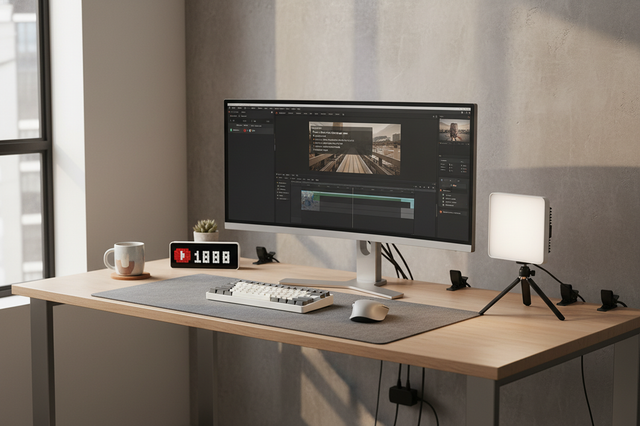
That is why acoustic treatment for creator desk setups feels different from full-room studio treatment. You are usually not trying to build a dead room. You are trying to reduce the early bounce that makes speech sound harsher, more boxy, or harder to understand. For many creators, that decision is tied to aesthetics as much as sound, because the desk still has to look good on camera and in a shared room.
One practical way to think about it is this: if your desk is close to a wall and your voice sounds sharp or hollow, you probably need to treat the nearby reflection points before you buy more gear. If the room already feels fairly soft and you only hear a little flutter, a lighter touch may be enough.
The ergonomic creator desk is a good follow-up if you are also refining camera reach, monitor height, and workflow around the same setup.
Acoustic Treatment Types That Work at a Desk
For most desk setups, the first question is not "What is the best material?" It is "What kind of reflection problem am I actually trying to solve?" Professional acoustic panels generally absorb more sound than consumer foam, while foam is usually lighter and more limited in scope, according to a panel-versus-foam comparison and a separate look at how thin foam behaves.

Fabric-Wrapped Panels
Fabric-wrapped panels are usually the cleaner-looking option when the desk sits in a visible corner of the room. They tend to blend in better than foam, and they make more sense when you want the setup to feel like part of the office rather than a temporary studio add-on. They are also a better starting point when the problem is first reflections, not just a little flutter echo.
The trade-off is footprint and commitment. Panels are more noticeable in the room, and they work best when you can place them intentionally instead of scattering small pieces everywhere. If you are trying to solve a desk setup that faces hard walls, panels are often the more practical default.
Foam Panels and Tiles
Foam is usually the lightest, easiest, and least expensive-looking way to soften a specific high-frequency issue. That is useful when you only need a narrow fix or want to test treatment without adding a lot of visual weight. But foam should be treated as a limited tool, not a full answer.
In plain terms, thin foam is best for fluttery, high-pitched reflections, not for broad desk reflection control. If your main issue is a louder, boxier room around the microphone, foam can help a little, but it is often not the first place to start.
Portable Gobos and Freestanding Screens
Portable screens are useful when the desk is in a shared room, rental, or apartment where wall mounting is awkward. They can create a temporary soft zone around the speaking position without changing the room permanently. That makes them appealing if you move the desk often or do not want to put visible treatment on the walls.
The downside is storage and footprint. A freestanding screen may solve the acoustics in one session, but it still has to live somewhere when you are not recording. If the room is small, that matters as much as the sound result.
Soft Furnishings and Desktop Add-Ons
Rugs, curtains, cushions, and upholstered furniture do not replace proper treatment, but they can make a desk corner feel less live and less studio-like. They are especially helpful when you want a softer visual style and are trying to keep the room looking like a normal office.
Repurposing small-studio gear can also help you keep the setup modular. The key is to think of these items as support layers, not the main fix. If the nearest reflections are still untreated, soft furnishings alone usually will not solve the problem.
Where to Place Treatment Around the Desk
The easiest way to place treatment is to start with the first reflection points, not with the biggest blank wall. Primacoustic's mirror trick is a simple method for that: sit at the desk, move a mirror along the side walls, and mark the spots where you can see the microphone or speakers in the reflection. Those are the places most worth treating first.
- Treat the side walls near ear height first.
This is usually the highest-value move because side-wall reflections often arrive very quickly at the mic. The same placement guide also recommends keeping treatment around ear or speaker height, which is the practical way to catch those reflections before they become part of the recorded sound.
- Add the wall in front of the speaking position if it is close.
If your desk faces a hard wall, the surface in front of you may be one of the biggest reflection sources. That is especially common in compact rooms where the desk is pushed up against the wall to save space. In that case, one panel placed well can be better than several pieces placed randomly.
- Check the area behind the monitor and around the mic line.
A wall behind the monitor, a shelf with hard backing, or a bare corner can all bounce sound back into the speaking path. If you move the mic, raise it, or change your chair height, the reflection pattern can shift too. That is why the mirror trick for panel placement is so useful: it matches the treatment to the actual speaking position.
- Re-test from the exact seating position you use most.
Stand up, sit down, and speak from the distance you normally use before buying more material. If the room changes a lot with small mic moves, you may need better placement rather than more panels. Small-studio logic for desktop setups is often about flexibility, not just adding more gear.
How to Keep the Setup Clean
The cleanest-looking acoustic treatment for creator desk setups usually comes from fewer, larger pieces instead of many small ones. That keeps the room from feeling busy, and it makes the treatment look intentional rather than improvised. If you only have room for one or two visible pieces, it is often better to make those pieces match the rest of the space.
Choose Fewer, Larger Pieces
A small number of well-placed panels usually looks more deliberate than a wall covered in mismatched tiles. Larger pieces are easier to align with the main reflection points too, which is useful because the goal is not decoration. It is to reduce the reflections that matter most to the microphone.
Match Materials to the Room
Fabric-wrapped panels often feel more like furniture than foam, especially when the color, texture, and finish match the desk or wall. That matters if the room shows up on camera. If the treatment looks like it belongs in the room, you are less likely to regret seeing it every day.
Keep Treatment Outside the Camera Frame
Side walls, corners, and off-angle surfaces are often the best places to hide treatment without giving up much benefit. If the desk is used for both work and on-camera content, check the seated camera frame before you buy. A panel that stays outside the shot is easier to live with than one you notice every time you record.
Use Multi-Use Surfaces and Accessories
Rugs, curtains, shelving, and upholstered furniture can all help the room feel less hard and less echo-prone. They are especially useful in shared rooms and apartments where you want one setup that does more than one job. Tabletop tripods and other compact creator tools can also keep the desk from feeling overbuilt when you are trying to keep the visual footprint low.
Buying Checklist for Desk-Friendly Treatment

The fastest way to choose acoustic treatment is to compare the setup against the room, not against the marketing copy. This checklist keeps the decision grounded in the factors that actually change how a creator desk feels and looks.
Desk-Friendly Acoustic Treatment: What Matters Most When Choosing
A quick buyer checklist for creator desks. Use this to compare common treatment types by the factors shoppers usually weigh most: size, mounting method, visual impact, portability, and budget.
View chart data
| Scenario | Panel size | Mounting method | Visual impact | Portability | Budget |
|---|---|---|---|---|---|
| Foam panels | 1.0 | 1.0 | 2.0 | 1.0 | 3.0 |
| Rigid acoustic panels | 2.0 | 2.0 | 2.0 | 3.0 | 1.0 |
| Portable desk screen | 2.0 | 3.0 | 1.0 | 3.0 | 2.0 |
| Desktop movable panel | 2.0 | 2.0 | 2.0 | 2.0 | 2.0 |
| Decision Factor | What To Look For | Why It Matters At A Creator Desk | Common Mistake To Avoid |
|---|---|---|---|
| Panel size | Enough surface to cover the nearest reflection points | Small pieces can look tidy but miss the part of the room that matters most | Buying many tiny pieces instead of one or two well-placed ones |
| Mounting method | Wall-mounted, freestanding, or movable | The best option depends on whether the desk is fixed or temporary | Choosing a mount that does not match the room or lease situation |
| Visual impact | Color, texture, and how visible it is on camera | The room still has to look like a real office, not a full studio | Ignoring how the treatment looks in the actual camera frame |
| Portability | Easy to move, store, or reconfigure | Shared rooms and apartments often need flexible solutions | Buying bulky treatment that stays in the way when not recording |
| Budget | The least amount of material that still covers the right points | Overbuying is common when the real issue is placement, not quantity | Treating foam as the only low-cost answer when panels may be the better fit |
If you want a simple rule, start with the least intrusive option that still reaches the first reflection points. Foam can be fine for a narrow flutter-echo cleanup, but if you need broader desk reflection control, panels or a portable screen are usually the safer starting point. If the room is visually sensitive, prioritize matched materials and a smaller number of larger pieces.
A soft safety note is worth keeping in mind too. If you are buying materials for a home office, check the product details for fire-rating information rather than assuming every acoustic product is the same. That matters more in fixed setups than in a quick test buy.
For a desk that also handles live video and rapid switching, the Live Streaming collection is a practical place to browse compact creator hardware without turning the workspace into a full studio build. If you want a clamp-based option for a mic or accessory arm, the Ulanzi Universal Flexible Desk Mount Live Broadcast Boom Arm can be a useful category check, but verify that any mount you choose matches your desk thickness and layout before buying.
A Simple Starter Setup for Most Creator Desks
The lowest-risk starter path is usually this: identify the nearest hard reflections, place one or two treatment pieces at those spots, then add a soft layer only if the room still feels too live. That approach keeps the acoustic treatment for creator desk setup from becoming cluttered, expensive, or hard to hide on camera. If the first pass improves clarity enough, stop there. If not, adjust placement before you keep adding material.
For a lot of small rooms, that is enough to get better desk sound without making the space look like a studio. If you are still choosing between options, start with the reflection points, then compare the look, the footprint, and the mounting method before you add anything else.
Related Resources
FAQ
How Much Acoustic Treatment Does a Creator Desk Usually Need?
Most desk setups do not need a full wall of panels. A better starting point is usually one or two well-placed pieces at the nearest reflection points, then a few soft furnishings if the room still feels hard. The exact amount depends on room shape, wall distance, and microphone position.
What Is the Best Placement for Panels Behind a Desk?
The most useful spots are usually the nearest side-wall reflections, the wall in front of the speaking position if it is close, and any hard surface that sits directly in the mic's path. The best exact layout depends on whether the desk faces a wall, sits in a corner, or floats in the room.
Can You Improve Desk Audio Without Making the Room Look Like a Studio?
Yes, if you keep the treatment simple. Fewer larger panels, matched colors, off-camera placement, and soft furnishings usually look cleaner than scattered foam tiles. The goal is a room that feels finished, not one that visibly announces every acoustic fix.
Should You Choose Foam, Fabric Panels, or Portable Screens?
Foam is the lightest and most limited option, fabric panels are usually the most polished-looking, and portable screens fit temporary or shared spaces better. If your main issue is broad desk reflections, panels or screens are often the safer first choice. If you only need a narrow flutter-echo fix, foam can be a reasonable start.
Will Acoustic Treatment Fix Echo Completely at a Desk?
Usually not. Treatment can reduce reflections and make speech sound less harsh, but the room layout, mic placement, and desk orientation still matter. Think of it as a way to improve the starting point, not a guarantee of studio-level sound.
Final Takeaway
For most creators, the smart move is to treat the nearest reflection points first, then choose the least cluttered option that still fits the room and camera frame. That is why acoustic treatment for creator desk setups works best as a placement problem first and a shopping problem second. Start small, test the mic position, and only add more material if the room still sounds too live.