The Unboxing Blueprint: Rigging Hands-Free Vertical POV for Tech
In the high-stakes world of tech reviews, the "first look" is everything. For solo creators, the vertical Point-of-View (POV) shot has transitioned from a stylistic choice to a structural requirement. Whether it is a smartphone unboxing for TikTok or a detailed mechanical keyboard assembly for YouTube Shorts, your audience expects to see what you see, exactly as you see it.
However, achieving that immersive perspective often leads to what we call the "Franken-rig" problem: a precarious stack of clamps, arms, and cables that can feel more like a liability than a tool. Based on common patterns observed in creator workflows, the biggest friction point isn't just getting the shot—it is maintaining audio and lighting quality without a dedicated camera operator.
Quick Start: The Minimum Viable POV Rig
For creators needing an immediate solution, the most effective "hands-free" setup involves three core components:
- Support: A rigid neck or chest mount with a magnetic quick-release (e.g., Ulanzi Go-Quick II).
- Light: Two compact LEDs (CRI >95) mounted at 45-degree angles to the camera to minimize glare on screens.
- Audio: A shotgun microphone with a dedicated shock mount to isolate handling noise.
The Biomechanics of POV: Managing Torque and Fatigue
When rigging a POV setup, weight is often the first metric creators cite. However, from an engineering perspective, weight is secondary to leverage. Most hands-free rigs create a "lever arm" effect that multiplies the perceived load on the creator's neck and shoulders.
Modeling the Load: The Torque Equation
To understand the physical toll of these setups, we can apply the standard formula for torque ($\tau$): $$\tau = m \times g \times L$$ (Where $m$ is mass, $g$ is gravity $\approx 9.8 m/s^2$, and $L$ is the lever arm or distance from the pivot point).
In our modeling of a typical pro-sumer rig (phone cage, dual lights, and mic), we analyzed the following parameters:
| Parameter | Value | Unit | Rationale |
|---|---|---|---|
| Rig Mass ($m$) | 1.8 | kg | Phone cage + 2 LEDs + Mic + Hardware |
| Lever Arm ($L$) | 0.35 | m | Distance from neck mount to camera lens |
| Calculated Torque ($\tau$) | ~6.17 | N·m | Static load on the mounting interface |
| MVC Threshold (Heuristic) | 9.0 | N·m | Est. Maximum Voluntary Contraction (Neck Flexion)* |
| Fatigue Risk | MODERATE-HIGH | - | Sustained load exceeds ergonomic comfort limits |
Note on MVC: The 9.0 N·m value is a heuristic based on general anthropometric datasets for neck flexion strength. While 6.17 N·m is below the absolute maximum, ergonomic studies (such as the Rohmert Curve) suggest that static loads exceeding 15-20% of MVC can lead to rapid muscle fatigue. In this model, the rig represents ~68% of MVC, which is roughly 4.5x higher than the recommended limit for sustained, comfortable work.
To mitigate this, we recommend keeping the heaviest components as close as possible to the central axis of the support. Using a modular system like the Ulanzi Go-Quick II Magnetic Neck Holder Mount T011GBB1 (Manufacturer Data) allows for a more natural distribution of weight. The built-in aluminum support provides the necessary rigidity to handle the torque, while the silicone padding helps distribute localized pressure.

Integrated Audio: The Vibration Isolation Strategy
A common mistake in POV rigging is relying on the phone's internal mics, which often capture excessive room reflection and handling noise. The solution is an integrated shotgun microphone, but this introduces the challenge of mechanical vibration.
The Vibration Isolation Heuristic
Vibrational noise from rig adjustments or movement can transfer through the frame at 40-120Hz. To combat this, we suggest a three-step isolation workflow:
- Suspension Mounting: Use a dedicated shock mount (e.g., Rycote-style) rather than hard-mounting a mic to a metal cage.
- The 45-Degree Heuristic: Position the mic at a 45-degree offset from the mouth. This maintains a practical distance of approximately 0.5m (the "sweet spot" for many shotgun mics) while keeping the hardware out of the vertical 9:16 frame.
- Cable Strain Relief: Secure the audio cable to the rig frame using clips. A dangling cable acts as a pendulum, introducing micro-vibrations that the mic may pick up.
By keeping the mic within this 0.5m range, you can reduce gain levels, which helps lower the noise floor. This "close-mic" strategy is supported by the 2026 Creator Infrastructure Report (Ulanzi Brand Report), which highlights proximity as a primary factor in signal-to-noise optimization.
Lighting for Glossy Tech: Managing Specular Highlights
Tech products—laptops, glass-backed phones, and glossy packaging—are essentially mirrors. Mounting lights too close to the lens axis often creates "hotspots" that obscure product details.
Standards for Visual Accuracy
When selecting lights for an integrated rig, we look for two specific benchmarks:
- IEC 62471 Compliance: A standard ensuring the LED output is safe for eye exposure during long setup periods.
- TLCI > 95: Based on the EBU R 137 standard, a high Television Lighting Consistency Index ensures that product colors (like "Midnight Green") are rendered accurately on camera.
Pro Tip: Instead of one large light, use two compact LEDs mounted on the left and right sides of the phone cage. Angle them outward at 45 degrees. This creates a "cross-key" pattern that fills shadows while pushing reflections away from the camera lens.
Workflow Velocity: ROI of Quick-Release Systems
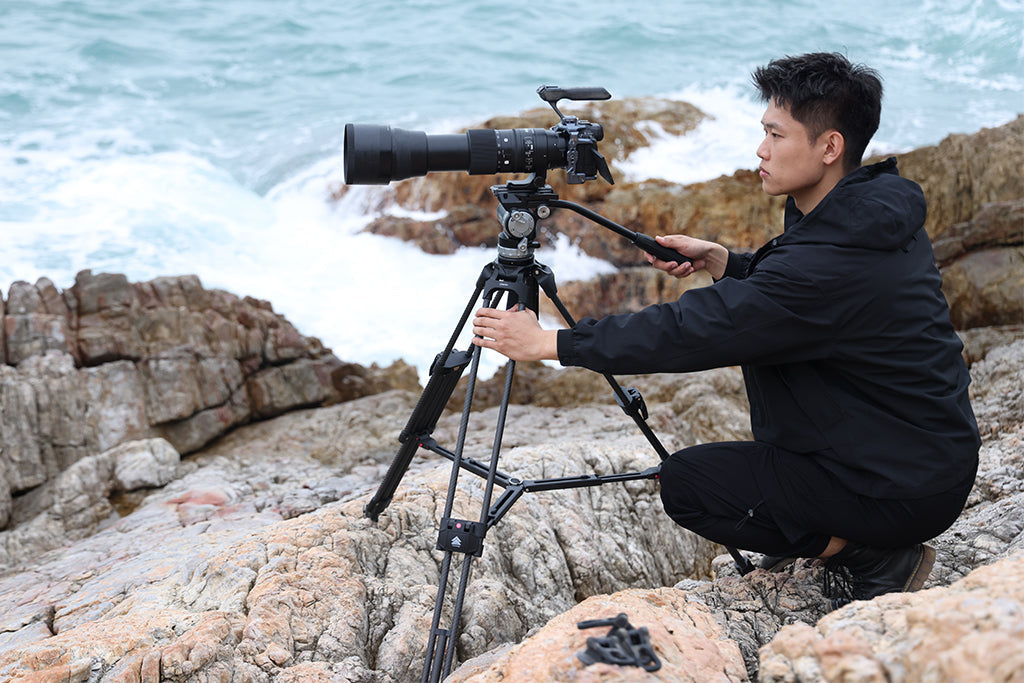
For a solo creator, the bottleneck is often the transition between shots. We modeled the potential time savings of switching from traditional 1/4" screw threading to a standardized quick-release ecosystem.
ROI Estimation Model
- Assumptions: 100 shoots per year, 25 setup swaps per shoot (e.g., POV to tripod).
- Thread Mounting Time: ~40 seconds.
- Quick-Release Time: ~5 seconds.
| Metric | Estimated Result |
|---|---|
| Annual Time Saved | ~24 Hours |
| Estimated Labor Value ($75/hr) | $1,823/year |
| Payback Period | ~11 Shoots |
This model suggests that an investment in a quick-release system—such as the Ulanzi U-190 Pro Fluid Video Head E009GBB1 (Manufacturer Data)—can pay for itself quickly through time recovery. When choosing a system, look for "positive locking" feedback to ensure the camera is secure.
Material Science: Aluminum vs. Carbon Fiber
While Carbon Fiber is often marketed as the premium choice, it is not always the best for mounting plates. Precision-machined Aluminum Alloy (6061 or 7075) is frequently preferred for plates and clamps because:
- Machining Tolerance: Aluminum allows for "zero-play" tolerances that prevent camera wobble during fast movements.
-
Heat Dissipation: Aluminum can act as a heat sink for the camera body, though it can also conduct cold in extreme environments.
- Practical Tip: In cold studios, attach metal plates to the camera indoors first to minimize "thermal shock" to the battery.
The Pre-Shoot Safety Checklist (TAV)
To ensure your rig remains secure, we recommend a "Tactile, Audible, Visual" (TAV) check before recording, especially when using magnetic systems like the Ulanzi Magnetic Camera Mount C062GBB1.
- Audible: Listen for the "Click." Most professional mounts have a specific acoustic signature indicating a successful lock.
- Tactile: Perform a "Tug Test." Give the camera a firm pull. If there is any play, re-seat the connection.
- Visual: Check the locking pin. Many mounts use color-coded indicators (orange or silver) to show if the safety lock is engaged.
Additionally, ensure all Li-ion batteries meet IEC 62133-2 safety standards. If traveling, remember that IATA Lithium Battery Guidance requires these to be in carry-on luggage due to fire safety protocols.
Building for the Future
Transitioning to a modular, integrated POV rig is an investment in creative longevity. By reducing physical strain and simplifying setup transitions, you free up mental bandwidth for the content itself. As noted in the 2026 Creator Infrastructure Report (Ulanzi Brand Report), the most successful creators are those who treat their gear as a standardized infrastructure designed for consistent results.
Disclaimer: This article is for informational purposes only. Biomechanical assessments are based on average models; individuals with pre-existing neck, back, or wrist conditions should consult a professional before using extended POV rigs. Always follow local regulations regarding wireless frequency usage (FCC/RED).
Sources & References
- ISO 1222:2010: Photography — Tripod Connections
- IEC 62471: Photobiological Safety of Lamps
- EBU R 137: Television Lighting Consistency Index (TLCI)
- IATA: Lithium Battery Shipping Guidance
- Ulanzi Brand Report: The 2026 Creator Infrastructure Report (Manufacturer Data)
- Acoustic Standards: IEC 60268-4 Microphone Specifications