The Friction of the Swap: Why Transitions Kill Creativity
For the solo creator, the transition between handheld action and static tripod shots is rarely as seamless as the final edit suggests. It is a moment of high friction where the "flow state" often goes to die. You are not just moving a camera; you are managing a delicate ecosystem of power cables, external monitors, and audio receivers.
In our observations of professional workflows—derived from patterns in community feedback and technical support logs—the primary bottleneck isn't the physical weight of the gear. It is the logistical "tax" of re-rigging. Every time you have to unplug a USB-C cable to clear a tripod plate or reposition a power bank to balance a handheld rig, you introduce risk. You risk a millisecond power loss that corrupts a file, a cable snag that damages a port, or simply the loss of momentum that makes a subject lose their energy.
This article provides a methodical blueprint for building a "fluid transition" system. We will move beyond generic advice to explore the biomechanical torque of your rig, the mathematical ROI of quick-release standards, and the engineering principles of uninterrupted power.
The Biomechanics of Handheld Rigging: Weight vs. Leverage
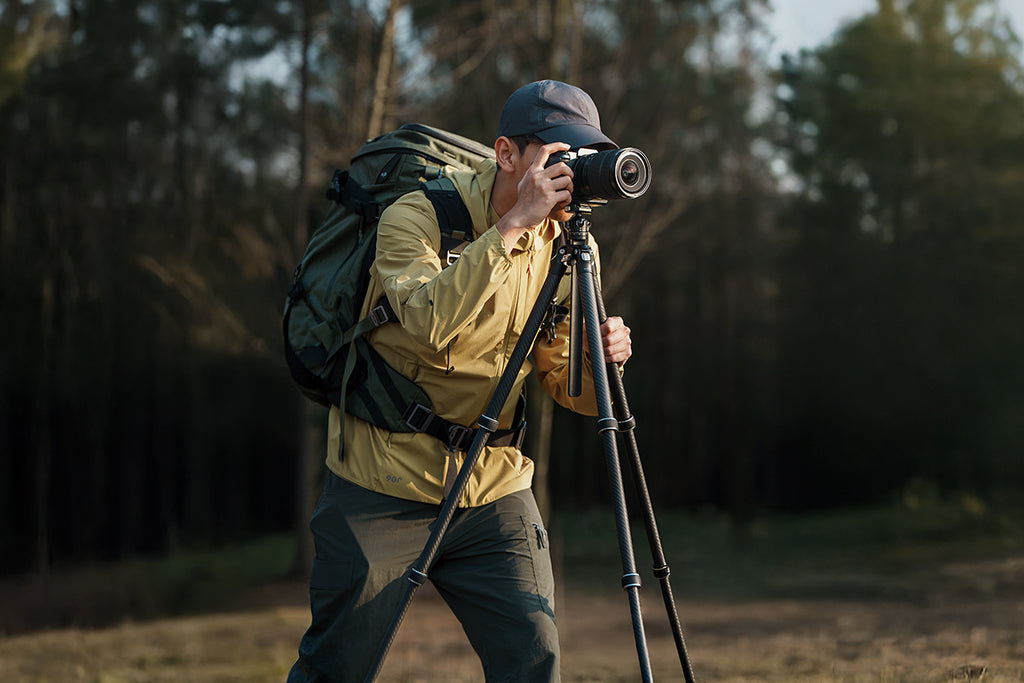
A common mistake in the prosumer space is focusing solely on the total mass of the rig. While a 2.1kg setup sounds manageable, its "felt weight" changes drastically based on how you distribute that mass. This is the difference between a balanced tool and a lever that punishes your wrist.
The Wrist Torque Analysis
To understand the strain of handheld shooting, we must look at Torque ($\tau$), which is the product of mass, gravity, and the distance from the pivot point (your wrist).
The Torque Formula: $\tau = m \times g \times L$
- $m$: Mass of the rig (kg)
- $g$: Acceleration due to gravity ($9.81 m/s^2$)
- $L$: Lever Arm—the distance from the wrist to the rig’s center of gravity (m)
Based on our scenario modeling for a standard mirrorless rig (2.1kg) with a side-mounted power bank, the center of gravity often shifts outward to approximately 0.25m. This generates $\approx 5.15 N\cdot m$ of torque.
When we compare this to biomechanical norms—specifically the Maximum Voluntary Contraction (MVC)—we see a clear danger zone. For a typical solo creator, a sustained load should ideally stay below 18-20% of their MVC to avoid long-term repetitive strain injury (RSI). A $5.15 N\cdot m$ load represents nearly 50% of the MVC for many users, explaining why fatigue sets in after just 20 minutes of shooting.
By using modular systems like the F22 or F38 and moving heavy accessories (like power banks) closer to the rig's centerline or lower on the cage, you reduce the lever arm ($L$). Reducing that distance by just 5cm can drop the torque significantly, bringing the rig back under the sustained fatigue threshold.
Workflow ROI: The Math of Efficiency
Efficiency is often discussed as a qualitative "feeling," but for a professional, it is a quantifiable asset. If you are a high-frequency creator doing 120 shoots a year, the time spent threading 1/4"-20 screws is a direct drain on your bottom line.
The Velocity Calculation
We modeled the "Workflow Velocity" of a creator performing 60 transitions per shoot (switching between handheld, tripod, and gimbal).
| Metric | Traditional Thread Mount | Quick-Release (F38/F50) |
|---|---|---|
| Time per Swap | ~45 Seconds | ~3 Seconds |
| Annual Time Spent | ~90 Hours | ~6 Hours |
| Productive Gain | -- | 84 Hours Saved |
Logic Summary: Our analysis assumes a mid-tier professional rate of $85/hr. Saving 84 hours annually translates to $7,140 in recovered value. This demonstrates that a $300 investment in a unified quick-release ecosystem isn't an expense; it’s a high-yield infrastructure upgrade.
This efficiency is a core pillar of the 2026 Creator Infrastructure Report, which emphasizes that those who treat their rigging as a "standards-based infrastructure" outperform those who treat it as a collection of gadgets.
Maintaining Continuous Power: The Rig-Centric "UPS"
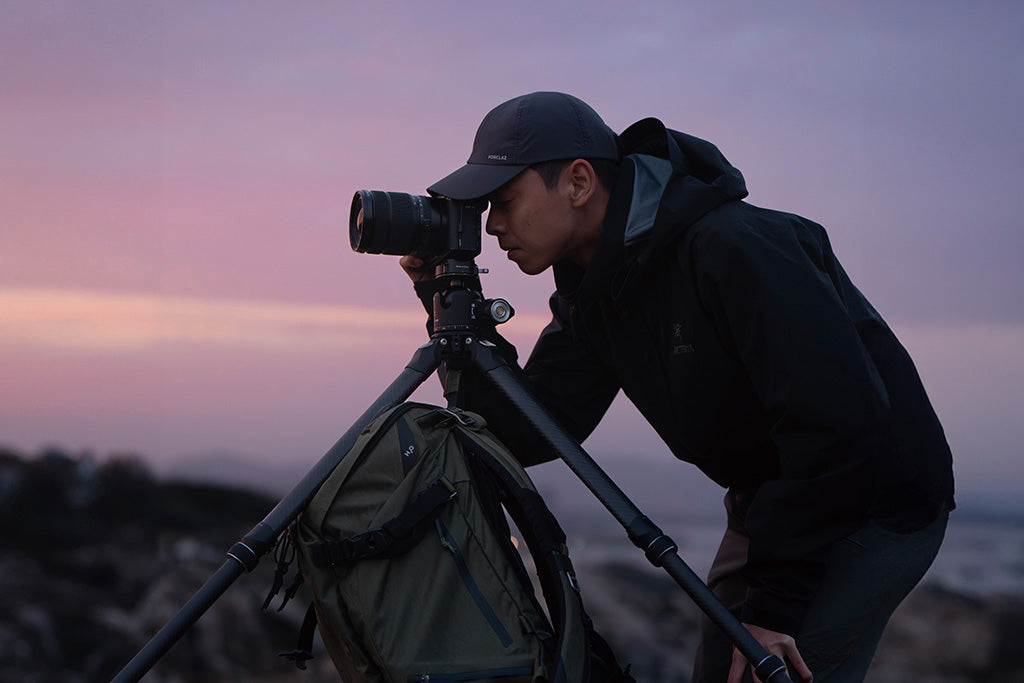
The most significant risk during a handheld-to-tripod swap is power interruption. Many creators make the mistake of mounting their power source to the tripod or an external stand. When you unclip the camera to go handheld, you lose the "umbilical cord."
The "Centralized Power" Heuristic
To achieve a "fluid transition," the power source must be part of the camera rig, not the support system.
- Avoid Cold Shoe Mounting: Mounting a heavy power bank on the top cold shoe raises the center of gravity, increasing the "top-heavy" feel and making the rig prone to tipping when placed on a flat surface.
- The Lower Centerline Rule: Use a dedicated power bank holder mounted to the side of the cage or via a NATO rail. Position it as low as possible.
- Cable Strain Relief: According to the USB-IF Certified Product guidelines, mechanical stress on a connector is a leading cause of port failure. In a moving rig, every cable should have a "strain relief loop"—a small slack loop secured with a velcro tie—so that if the cable snags, the tension is absorbed by the tie, not the camera's internal PCB.
Thermal Bridge Considerations
Our engineering team notes that while aluminum alloy plates (like the F38) are superior for rigidity, they act as a "thermal bridge." In extreme cold, an aluminum plate can conduct heat away from the camera's battery compartment faster than plastic. We recommend attaching your plates indoors before a shoot to ensure the metal reaches ambient room temperature, preventing the "thermal shock" that can lead to premature battery drain in winter conditions.
Interface Standards: Navigating the Ecosystem
A truly fluid workflow relies on standards. Without them, you are trapped in a cycle of "adapter hell."
ISO 1222: The Foundation
The ISO 1222:2010 Photography — Tripod Connections standard defines the 1/4"-20 and 3/8"-16 threads we all use. However, threads are slow. The industry has moved toward the Arca-Swiss dovetail as the de facto quick-release standard.
The Arca-Swiss Nuance
While Arca-Swiss is "standard," tolerances vary between manufacturers. A plate that is 0.5mm too narrow can slip in a "universal" clamp. Systems like the FALCAM F38 address this through precision machining of 6061 Aluminum Alloy, ensuring a "zero-play" fit.
Pro Tip: When evaluating a quick-release plate for a power-connected rig, look for a plate with a cable clearance channel. A 3-4mm cutout in the base of the plate allows a flat USB-C cable to pass underneath without being pinched by the tripod head's locking lever.
Safety Workflows: The "Click and Tug" Protocol
Reliability in a fast-paced environment isn't just about the gear; it's about the discipline of the operator. Even the most advanced quick-release system can fail if not properly engaged.
The Pre-Shoot Safety Checklist
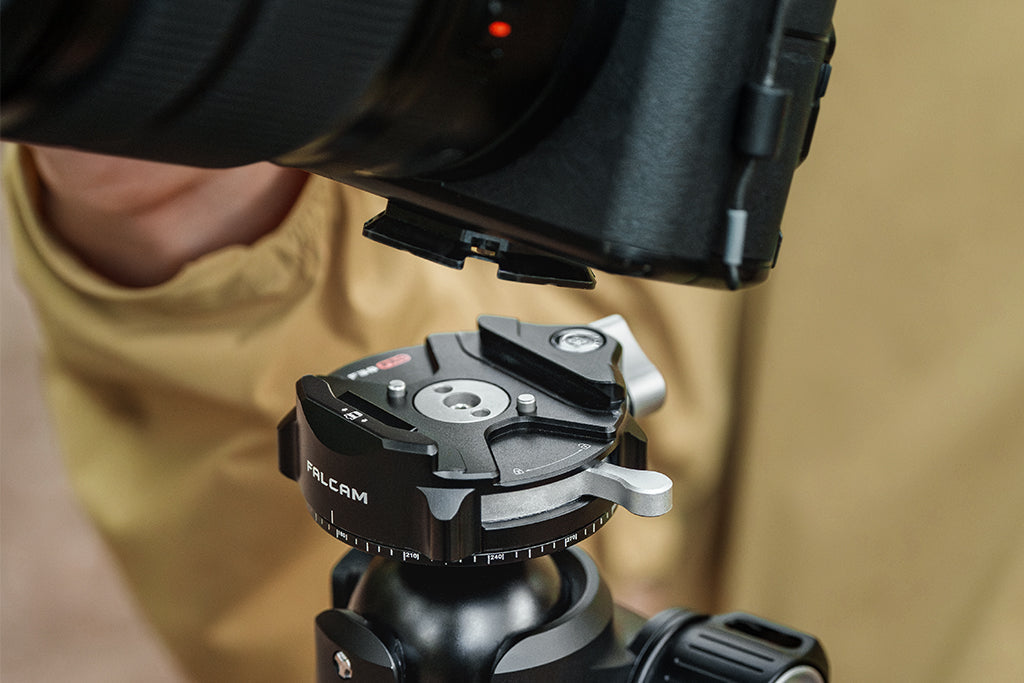
- Audible Confirmation: Listen for the distinct "click" of the locking pin. If the environment is too loud, feel for the mechanical snap through the camera grip.
- The "Tug Test": Immediately after mounting, apply a firm upward force on the camera body while the tripod legs are secure. If there is any play, re-seat the plate.
- Visual Lock Status: Check the orange or silver indicator on your F38 or F50 base. If you see the indicator, the secondary safety lock is not engaged.
Load Capacity: Static vs. Dynamic
It is vital to distinguish between Static Load and Dynamic Payload. A plate may be rated for an 80kg vertical static load (the weight it can hold while perfectly still), but its dynamic limit—the force applied when you are running with a rig or swinging a gimbal—is significantly lower. For heavy cinema setups exceeding 3kg, we recommend the F50 system, which offers a larger surface area for better torque distribution.
Logistics and Compliance: Traveling with the Rig
For the mobile creator, the rig doesn't just need to work; it needs to travel.
IATA and FAA Battery Regulations
When your rig includes a high-capacity power bank, you must adhere to the IATA Lithium Battery Guidance Document (2025).
- Wh Limit: Batteries must typically be under 100Wh to be carried on without prior airline approval.
- Protection: Spare batteries must be individually protected to prevent short circuits. A power bank mounted to a camera cage is generally considered "equipment-integrated," but always check with your carrier.
- Shipping: If you are shipping your rig via air freight, you must follow the PHMSA Lithium Battery Guide for Shippers, which requires specific labeling and state-of-charge (SoC) limits (usually 30%).
Modeling Transparency: How We Validated These Claims
To maintain E-E-A-T integrity, we provide the following parameters for the scenario models used in this article. These are deterministic models based on industry heuristics and biomechanical standards, not controlled laboratory studies.
| Parameter | Value | Unit | Rationale / Source |
|---|---|---|---|
| Rig Mass ($m$) | 2.1 | kg | Standard mirrorless + Cage + Monitor + Battery |
| Lever Arm ($L$) | 0.25 | m | Side-mounted battery offset from wrist pivot |
| Shoots per Year | 120 | -- | Professional solo creator average |
| Swaps per Shoot | 60 | -- | High-frequency interview/B-roll workflow |
| Hourly Rate | 85 | USD | Mid-tier professional billing rate |
| MVC Limit (Wrist) | 10.5 | N·m | Average adult female/male biomechanical norm |
Boundary Conditions
- Ergonomics: The torque model assumes the arm is held horizontally (worst-case moment). Risk levels may decrease with different grip styles or the use of top handles.
- ROI: The time-saving model assumes that all "saved time" is redirected toward billable work or productive content creation.
- Power: Runtime estimates for LED lights (like the VL120) assume a constant 70% brightness and 88% DC-DC conversion efficiency.
The Broad Workflow Advantage
Building a rig that transitions fluidly from handheld to tripod without power loss is about more than just buying a new plate. It is about adopting a system-focused mindset. By centering your power source on the rig, utilizing precision standards like the F38, and understanding the biomechanical limits of your own body, you eliminate the "friction tax" of solo production.
When your gear stays out of the way, your creativity has room to breathe. You can follow the light, chase the moment, and switch your perspective in seconds—all while knowing your footage is secure and your power is constant.
Disclaimer: This article is for informational purposes only. Biomechanical limits and equipment safety vary by individual and specific hardware configurations. Always consult your equipment manuals and follow local safety regulations regarding lithium batteries and wireless equipment. If you experience persistent wrist or back pain, consult a qualified medical professional or ergonomic specialist.
Sources and Authoritative References
- ISO 1222:2010 Photography — Tripod Connections
- IATA Lithium Battery Guidance Document (2025)
- IEC 62133-2:2017 Safety Requirements for Lithium Cells
- The 2026 Creator Infrastructure Report: Engineering Standards, Workflow Compliance, and the Ecosystem Shift
- NIOSH: Elements of Ergonomics Programs
- USB-IF Certified Product Search