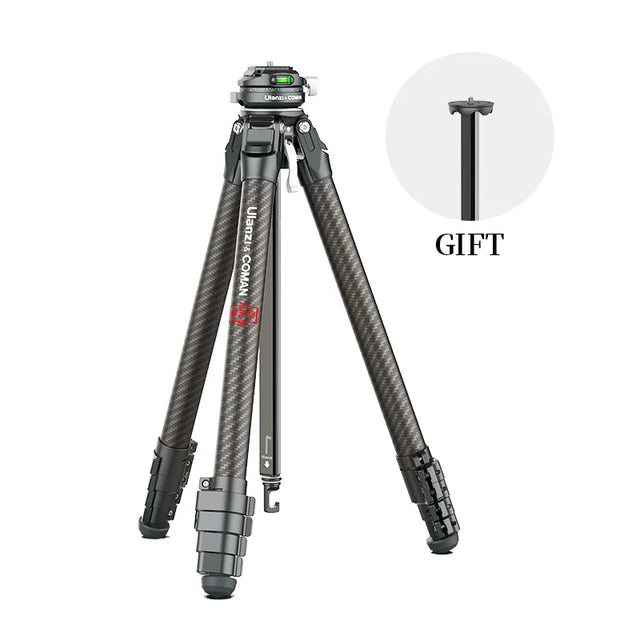
In 2026, the smartest investment for creators is no longer the next camera or lens but a unified modular studio infrastructure that eliminates repeated setup friction and scales from solo vlogging to professional production. Creators who continue buying individual products in isolation quickly encounter plate fatigue, rebalancing taxes, and setup drift that consume 150+ hours annually and block consistent output. A solution-first approach anchored in standardized mechanical interfaces, functional zoning, and IoT automation reclaims that time and creates a resilient workspace that survives hardware upgrades.

Why Solution-First Infrastructure Wins in 2026
Product-first buying patterns worked when creators produced occasional content on a single device. In 2026 the typical workflow involves frequent switches between smartphone, mirrorless, and PTZ cameras across vertical, horizontal, and hybrid formats. Each swap forces rebalancing gimbals, repositioning lights, and reprogramming scenes, creating cumulative friction that reduces output frequency.
This professional media production review highlights how IoT-enabled tools reduce manual errors and extend hardware lifespan through proactive monitoring. The ROI of infrastructure therefore appears in time reclaimed rather than marginal image-quality gains. Standardizing early prevents the workspace from becoming cluttered and unmanageable, a common regret that leads many creators to scale back production.
The Modular Studio Stack: Layers of Infrastructure
A professional modular studio rests on four interdependent layers that must be built in sequence to avoid compatibility gaps.
The mechanical foundation is governed by ISO 1222:2010, the international standard that defines tripod and support connections. This ensures any device or accessory built to the specification can mate reliably with any compatible mount, creating true universal compatibility across brands and future hardware generations.
Above the mechanical layer sits the mounting interface. The Falcam F38 quick-release system acts as a one-plate standard that lets creators move the same plate between smartphone rigs, mirrorless cameras, gimbals, and tripods without rebalancing. This single mechanical language removes the rebalancing tax that consumes hours every week.
The power and signal layer integrates V-mount batteries, DMX-controlled lighting, and unified power distribution so that one battery swap or one power strip can energize the entire rig. Finally, the IoT layer adds sensors and relays that translate physical rig states into digital commands.
When these layers connect properly, changing a camera position can automatically recall the matching lighting preset and scene profile instead of requiring manual readjustment.

Designing for Scale: From Solo Desk to Professional Suite
The most practical way to grow without repeated room redesigns is functional zoning. Divide the workspace into a primary capture zone optimized for solo talking-head or product shots, a secondary-angle zone for B-roll or over-the-shoulder perspectives, and a dedicated demo or product table zone. Once these zones are established with standardized mounts and shared lighting arrays, switching formats no longer requires rearranging furniture.
Solo creators can further scale output by placing an AI-driven PTZ camera in the secondary zone. The camera autonomously tracks speakers and maintains framing rules, allowing one operator to deliver multi-cam production quality without hiring a crew. This approach works best once the mechanical layer is already standardized; otherwise the camera’s presets lose repeatability.
The resulting resilience moat appears when you upgrade cameras or lenses. Because the infrastructure uses open ISO and F38 standards, new gear simply clicks onto existing plates and inherits the same lighting, power, and automation profiles. The workspace survives hardware churn instead of requiring a full rebuild.
The chart below clarifies how infrastructure requirements expand across creator segments.
Creator Studio Infrastructure Tiers by Functional Zone
A tiered view of how studio infrastructure expands from Solo to Pro to Team, showing what to add next without overbuilding.
View chart data
| Category | Functional Zones (1-3) | Automation Level | Estimated Annual Time Saved | Upgrade Priority |
|---|---|---|---|---|
| Entry / Solo | 1.0 | 1.0 | 1.0 | 3.0 |
| Pro | 2.0 | 2.0 | 2.0 | 2.0 |
| Team | 3.0 | 3.0 | 3.0 | 1.0 |
From Manual to Automated: The IoT Studio Layer
A modular setup becomes a smart studio at the moment a physical rig change can trigger a matching digital state. Quick-release plates alone remain workflow conveniences until they emit or accept cues that synchronize lighting presets, camera profiles, and scene changes.
Physical AI principles make this practical. IoT sensors and smart relays can detect when a camera is docked in the primary zone and automatically recall the corresponding color temperature, intensity, and backdrop settings. The Stream Controller D200 serves as the central nervous system, turning a single voice command or footswitch into an orchestrated “start the show” routine that powers lights, starts recording on multiple devices, and launches the correct streaming scene.
Automation is accessible for solo creators once the mechanical layer is stable, but it does not replace workflow planning. The most reliable systems still include a manual override so that unexpected changes in lighting conditions or guest positioning can be corrected without breaking the entire routine.
Future-Proofing Your Workspace: The Resilience of Modular Design
Hardware and software will continue to change rapidly. The best hedge is to treat physical studio rigging like infrastructure-as-code: define repeatable, portable configurations that can be versioned and restored quickly. Applying modularity principles to the physical environment ensures that when you upgrade a camera or adopt a new codec, only the device on the plate changes while the surrounding power, lighting, and automation layers remain untouched.
The durability trust gap deserves attention. High-frequency quick-release cycles eventually require inspection of locking mechanisms and occasional lubrication. Treating this as a routine maintenance tax rather than a hidden failure point keeps the system reliable for years. Standardizing on F38 and ISO 1222 also creates a content moat: operational efficiency compounds because every new accessory inherits the same muscle memory and preset logic.
Actionable Upgrade Paths for Every Creator Segment
Solo upgraders should begin with one-plate standardization across phone and camera rigs. The Falcam F38 Quick Release Series and compatible Uka Quick Release Plate and Base Kit deliver immediate time savings and future-proof the mechanical layer.
Professional streamers benefit next from IoT-enabled lighting and a dedicated stream controller. Adding the Ulanzi 120W Bi-color / RGB V-Mount Video Light Bundle or the C01 100W COB Light with app control lets one command adjust the entire set, turning daily multi-session broadcasts into repeatable routines. The guide to rapid setup for multi-session live broadcasters shows how these choices can reclaim more than 155 hours per year.
Small teams and B2B creators should prioritize functional zoning and shared support hardware pools. The Modular Sales Blueprint demonstrates how standardized quick-release systems and cross-format lighting can reduce studio reset times by up to 70 % in e-commerce environments. Once zones are defined, adding the VL-200Bi 200W V-Mount Video Light with DMX support creates consistent results across operators.
For creators balancing phone and camera work, the hybrid gear guide offers practical starting points that align with the one-plate philosophy. Those focused on lighting arrays can follow the upgrade path from single light to modular system before investing in full automation.
How Do I Choose My First Modular Infrastructure Upgrade?
What should a solo creator buy first to reduce daily friction?
Standardize on a single quick-release plate system that works across your smartphone rig and mirrorless camera. This mechanical foundation delivers the highest immediate ROI and prevents later compatibility problems when you add lighting or automation.
When does adding IoT automation become worthwhile for solo operators?
Automation pays off once your mechanical layer is stable and you repeat the same multi-device, multi-format sessions at least three times per week. At that point a stream controller and sensor-triggered lighting presets eliminate the manual reset steps that otherwise accumulate into hours of lost creative time each month.
Can I mix Ulanzi gear with other brands without losing modularity?
Yes, provided you stay within ISO 1222:2010 and common quick-release standards. The mechanical layer is intentionally open; the strongest ecosystem benefits appear when most of your plates, lights, and controllers speak the same language, but you are never forced into full vendor lock-in.
How much maintenance do high-cycle quick-release mounts require?
Treat F38-style locks as maintenance items. Inspect and clean the mechanism every 2,000–3,000 cycles or quarterly in dusty environments. A few minutes of routine care prevents the durability trust gap that appears after 10,000+ heavy-use cycles.
What is the realistic time saving from a fully zoned and automated studio?
Most creators moving from ad-hoc product purchases to a zoned, standardized infrastructure report reclaiming 100–180 hours per year. The exact number depends on production frequency and format variety, but the pattern is consistent: the largest gains come from eliminating room-wide resets rather than shaving seconds off individual shots.
Should I invest in AI PTZ cameras before or after building the mounting infrastructure?
After. AI PTZ cameras deliver repeatable results only when their presets can be triggered from known physical positions. Build the mechanical and mounting layers first so the camera inherits reliable framing and lighting references instead of fighting an inconsistent workspace.