Your phone gets hot and stops recording because the camera is already working hard, and the battery grip adds a second active heat source, charging. When direct sun, a tight mount, or a phone case also block heat from escaping, the phone's internal temperature can cross the point where it protects itself by slowing charging, cutting performance, disabling camera features, or shutting down.
There is no single wattage or temperature number that fixes this for every phone and grip combination. The fix is a tested, lower-heat configuration for your specific setup, not a universal power setting.
Why a battery grip can make a recording phone overheat
Recording video is processor-intensive on its own, and adding a charging connection layers a second heat-generating process on top of it. The battery grip does not need to be defective for this combination to raise the phone's internal temperature faster than it can shed heat.
Several factors interact at once: the camera's workload, the energy lost as heat during charging and voltage conversion, the display and radios staying active, warm surroundings or direct sunlight, and physical contact with a mount or case that blocks airflow. Apple documents that graphics-intensive apps, camera use, and wireless charging all warm the device, and that exceeding the normal operating range can slow or stop charging and reduce performance with lower frame rates or longer processing times, according to Apple's overheating guidance. Google's Pixel support describes a comparable pattern: recording high-definition video while charging can push the phone to reduce CPU performance, slow charging, turn off the camera, or eventually shut down. These protective responses vary by phone model, so the practical takeaway is to treat a cutoff as a signal to reduce total heat load, not proof that the grip's power output is wrong.
Find the dominant heat source before changing the setup
Start with the environment and the mount before touching charging settings, because those two variables are the easiest to fix and often the biggest contributors. Work through the sequence below, changing one variable at a time and comparing the result under the same recording mode.
- Move out of direct sun and off any enclosed or poorly ventilated surface. If the phone was sitting in sunlight or resting against a warm surface, retest in shade or open air before changing anything else.
- If the phone still runs hot, lower the recording workload. Drop from 4K to 1080p, reduce frame rate, or turn off features you are not using, such as extra radios, live streaming overlays, or background apps, then record the same scene again.
- If heat persists after steps 1 and 2, look at the power path next, covered in the following section, rather than assuming the grip itself is at fault.
- If the phone is already too hot to hold comfortably or shows a warning, disconnect the power source immediately and let it cool. Google's Pixel support is direct on this point: if your phone is too hot, disconnect it from its power source, move it to a cooler place, and do not use it until it has cooled down, according to Google's Pixel heat guidance. Do not keep recording through a warning to see if it clears on its own.
For creators tracking total session power draw across a shoot, our power efficiency guide walks through runtime planning that pairs with this diagnostic order.

Set charging power within documented limits
Treat your battery grip's maximum output as a ceiling, not a setting you need to reach. Your phone only draws the power it is designed to accept, and forcing a higher-rated charger or cable does not make the phone charge faster once it hits its own supported limit.
Confirm the documented charging capability for your phone and the grip's cable and connector before assuming the setup is incompatible. Google's Pixel charging guidance notes that other cables and power adapters might not work as expected, that charging speed depends on the charger and cable combination, and that the phone may pause charging to protect the battery once it gets too warm, according to Google's charging guidance. A charging pause during a hot session is the phone protecting its battery, not a malfunction to override.
Run a direct comparison to isolate the charging path as a variable: record on battery power alone, then repeat the same scene with the grip connected, and note any charging pauses, warnings, or performance changes. If charging is clearly the trigger, our pass-through charging guide covers how to manage voltage and thermal behavior on longer shoots.
Improve airflow and reduce heat trapped by the mount
Shade and open air often matter more than a small change in grip output, especially outdoors. If the phone is already sun-heated, moving it into shade will do more than adjusting the power path.
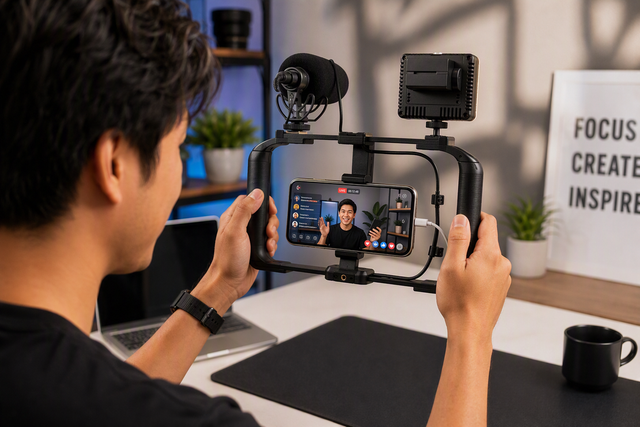
A mount, case, or accessory pressed against the phone's back can trap the exact heat the phone needs to release. Check that the mount does not seal off the phone's rear surface beyond what the phone and grip manuals allow, and avoid stacking a thick case, cage, and mount together if you can test a leaner setup instead. For an indoor session, compare the phone resting freely on a stand against the same phone mounted in the grip, using identical recording settings, to see whether the mount itself is the limiting factor. If you are also testing a wireless charging mount, our wireless charging mount checks guide covers case and cage compatibility for that setup. If a warning appears during this test, disconnect power immediately rather than continuing to test through it.
Build a reliable duty cycle for extended handheld recording
A reliable duty cycle is specific to your phone, camera mode, charging state, mount, and the room or location you are shooting in, so it has to be tested rather than assumed. There is no universal number of minutes that applies across setups.
Run a controlled test: pick your intended phone, camera mode, case on or off, charging connected or not, and mount position, then record continuously in the actual scene you plan to shoot. Log the exact point where you notice the phone getting noticeably warmer, a charging pause, reduced performance, a warning, or a stopped recording. Change one variable, such as removing the case or lowering resolution, and repeat the test. The shortest interval that completes cleanly, with no warnings or slowdowns, is your current working duty cycle for that scene; retest whenever the location, weather, or recording mode changes meaningfully.
When to stop using the phone or battery setup
Stop recording and disconnect the power source the moment you see a thermal warning, a charging pause paired with rising heat, a camera shutdown, or a phone that feels too hot to hold. Move the setup to a cooler spot and wait until it has fully cooled before reconnecting; continuing to record to see if it recovers on its own risks a harder shutdown or battery stress.

If the phone, grip, or battery pack shows swelling, physical damage, leakage, smoke, or an unusual smell, keep it out of service entirely. These are abnormal battery conditions, not something a cooler location or a different charging cable will resolve. Contact the phone, grip, or battery manufacturer for inspection, support, or safe disposal guidance before using that equipment again.
FAQs
Should I take off my phone case when recording with a battery grip?
Remove the case for a test run whenever the back of the phone feels hot, the grip clamp clamps tightly over heavy silicone or leather, or the cable connector fits loosely. Cases insulate the rear chassis where modern phones dump heat, so shooting bareback in the clamp reveals immediately whether trapped heat caused the cutoff.
Why does my phone pause charging while continuing to record?
Pausing incoming power is an intentional hardware protection measure, not a broken grip or cable. When internal temperatures approach critical thresholds, the phone shuts off or slows the battery charging circuit to eliminate conversion heat while preserving sufficient power for active camera processing.
Does lowering video resolution from 4K to 1080p prevent recording cutouts?
Dropping resolution or framerate substantially decreases the encoder workload on the processor, lowering internal heat generation at the source. While it will not offset extreme ambient heat or direct sunlight, it often creates the thermal headroom needed to keep filming while drawing power from a grip.