If you want the face in a talking-head or portrait video to look naturally lit, start with a neutral white fill. Save RGB for color you actually want viewers to notice, like a glow on the back wall or a stylized wash that is part of the look. The job the light has to do comes first. The color setting comes second.
Want a natural face and a colorful setting at the same time? Give each light its own job. Then record a short clip and judge the result against the look you planned.
Choose neutral fill for a natural-looking face; choose RGB for intentional color
Decide how the face should look before you touch a color setting. That one choice points you to the right light for portrait video lighting.
Pick neutral white fill when the face should read as itself. Tutorials, interviews, product demos, and everyday vlogs usually aim for this. In these videos, skin, makeup, and wardrobe should look the way viewers expect, without a tint that pulls attention. A white fill keeps the light's job simple: show the face clearly. If this is your main need, start with bi-color video lights. Bi-color means white light you can shift warmer or cooler, with no colored hues.
Pick RGB when color is part of the creative plan. A gaming stream, a music clip, a moody intro, or a branded set may call for a color you want seen. As Adobe's portrait lighting guide puts it, even lighting is not always the goal. Dramatic, uneven light can add intrigue to a portrait. RGB gives you that option in color form.
The tricky part is color that lands on the face. Colored light on skin is fine when you chose it, such as a magenta edge light for a stylized look. It becomes a problem when it just shows up. A teal spill across a cheek that you meant for the wall is one example. Here's a simple test: if you can't say why a color is on the face, it probably isn't part of the plan.

Neither light is better overall. A neutral fill is the straightforward choice for a clear, natural-looking face. RGB is the tool for deliberate color. Problems start when RGB stands in for neutral skin light without anyone deciding that's the look.
When both lights serve separate roles
You can use both lights when you want two different results in one frame: a natural-looking face and a colored setting. Give each light one area to handle so neither one has to do both jobs.
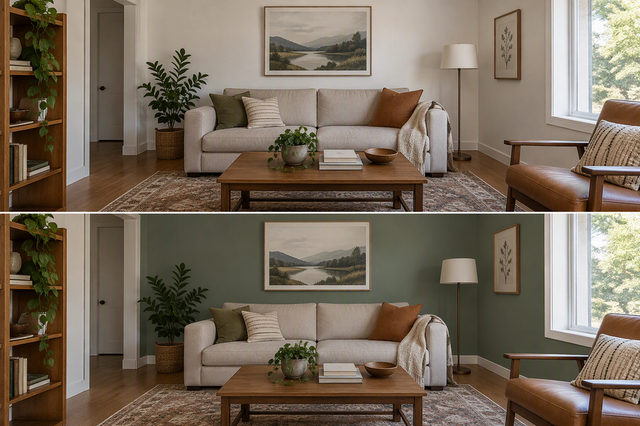
Here's an illustrative example, not a required setup. A creator records a talking-head video at a desk in a home office. A neutral white fill handles the face, so it looks clean and natural on camera. An RGB light aims at the wall or shelf behind them and adds a deliberate accent, such as a soft purple glow. Viewers see a normal-looking face against a background with personality.

Video crews use the same idea with white light too. In one interview lighting walkthrough, the key light matches the camera's 5,600K white balance to get natural-looking skin. Practical lamps in the background sit around 3,200K for warm contrast. That example uses warm white practicals instead of RGB. Still, the logic carries over: the subject light and the background light each have their own job.
For the background job, choosing an RGB tube light explains how wands and air tubes work for accents and rim light. You can also compare tube and RGB lights or compact pocket lights for small shelf or wall accents. When you're ready to position everything, our video lighting setup guide covers key, fill, and back light placement.
FAQs
Can I use an RGB light set to white as my face fill?
Yes, if the light has a white mode and that mode gives the face the look you want. The deciding factor is the job, not the label on the fixture. Judge it by how the face appears in your recording. If skin looks tinted when you meant it to look neutral, switch modes or switch lights.
Is colored light on my face always a mistake?
No. Color on the face works well when it's a creative choice, like a stylized music video or a bold stream look. It only causes trouble when it arrives by accident, such as spill from a background accent. Decide ahead of time whether the face should carry color, and keep it that way.
How do I pick the white setting for my fill?
One reliable approach is to match the fill to your camera's white balance. That way the camera reads the light as neutral. Interview shooters often do this for natural-looking skin and then let background lights go warmer or cooler for contrast. Lock your camera's white balance first, then set the fill to match.
Is a small pocket light enough for face fill?
It can be, depending on its output and how far it sits from your face. Size alone doesn't tell you. Our comparison of pocket light output for portraits looks at brightness at 1 meter (about 3.3 feet) and battery runtime, which helps if you shoot portrait video lighting away from a desk setup.
Check the recorded preview against the intended look
Before you record the full take, follow this video aesthetics checklist by recording a short test clip to see if color feels consistent across the frame. That guide suggests watching the clip back with sound. A ten-second check can catch problems you might otherwise only notice after a full recording.
While the clip plays, ask two questions:
- Does the face look the way you intended, either neutral or deliberately colored?
- Is any color on the face there because you put it there?
If both answers are yes, roll the full take. If a color shows up where you didn't plan it, change which light handles which area, then record another short clip. Remember that this is a judgment against your own plan. It is not a lab test of color accuracy. Trust your eye on whether the playback matches the look you chose before you turned on the lights.