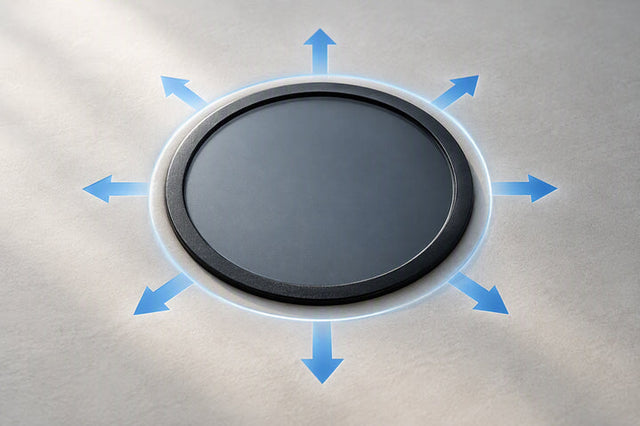


A magnetic wide-angle or anamorphic lens can be used on the DJI Osmo Pocket 3 without triggering motor overload, but only when the exact model, mount fit, mass or balance evidence, movement clearance, and calibration behavior are all verified first. Magnetic attachment by itself proves nothing about whether the gimbal can carry that lens through a full pan, tilt, and roll without warning or shutting down. Treat any accessory that skips this verification, or that has already produced a warning, as unverified rather than assumed safe.
Is a Wide Lens Compatible With DJI Pocket 3 Without Overload?
Compatibility is conditional, not automatic. DJI's own accessory documentation supports its named Wide-Angle Lens as a Pocket 3 attachment, but that approval does not extend to every third-party magnetic wide-angle or anamorphic lens on the market.
One example we can point to with verified facts is the Ulanzi F35 wide-angle lens, which is listed for the Osmo Pocket 3, attaches magnetically, weighs 4 grams, and is built so that its aluminum frame does not affect Pocket 3 gimbal calibration. That is a supported product fact for this specific model, not proof that every magnetic lens near that weight will behave the same way. A lens earns a green light only after its exact mount, its own documented mass or balance information, physical clearance through your intended movement, and its calibration behavior have each been checked. Skip any of those four, and the setup stays in unverified territory, even if the listing says "compatible."
Why an Added Lens Can Trigger Motor Overload
An added lens changes where mass sits on the gimbal head, not just how heavy the whole rig feels in your hand. That shift in weight distribution, plus any optical offset from the lens housing, changes the inertia the tiny motors have to control during a pan, tilt, or roll.

The Pocket 3's gimbal has a defined mechanical and controllable range of motion, and a magnetic accessory has to stay clear through all of it, not just while the camera is sitting still on a table. A lens that looks fine mounted and motionless can still contact the housing or crowd the gimbal cage once it swings through its full arc. If your rig already leans forward or side-heavy once a lens is attached, the same balance and inertia issues that show up in handheld gimbal work generally apply, as covered in our guide to diagnosing pendulum swing in handheld rigs.
A motor-overload warning is best read as a signal that the current setup or operating condition has not been proven acceptable. It does not point to one specific cause. Treat it as a prompt to inspect the physical setup, not as a diagnosis of a particular motor, thermal, or firmware fault.
Compatibility Checks Before Mounting the Lens
Run this six-step sequence before you rely on any magnetic wide-angle or anamorphic lens for a real shoot. Each step ends in a pass, hold, or do-not-use call, and the sequence only moves forward on a pass.
- Identify the exact lens model and mount. Confirm the specific product name and magnetic mount type rather than trusting a generic "wide-angle for Pocket 3" listing that may bundle different lens shapes together.
- Record the documented mass and balance claim for that model. For the F35, that means the listed 4-gram weight and the manufacturer's statement about calibration behavior; for any other lens, note what is actually published, and treat missing data as an unverified condition rather than a safe assumption.
- Verify mount seating. Attach the lens and confirm it sits flush against the Pocket 3's camera housing with no gap, wobble, or magnetic slip when you tilt the device by hand.
- Inspect movement clearance. With the Pocket 3 powered on and configured per your current device manual, move slowly through the full pan, tilt, and roll range you plan to use, watching for contact or resistance at any point.
- Follow the current manual's calibration or operating-mode steps. Calibration behavior can vary by firmware version, so use the instructions in your Pocket 3's current manual rather than a general assumption that no calibration is needed.
- Run a short controlled test before a paid, travel, or otherwise irreplaceable take. Record a minute of footage using the actual movements you intend to shoot. Any warning, contact, restricted movement, or unstable behavior during that test changes the result to do-not-use for that setup.
If you are working with an anamorphic lens instead, the same six checks apply, but the balance math changes because anamorphic optics are typically more front-heavy and asymmetric. Our breakdown of balancing front-heavy anamorphic lenses walks through how to check opposing moments before you assume a front-loaded lens will clear the gimbal's range the same way a lighter wide-angle lens does.
Troubleshoot by When the Warning Appears
Where the overload warning shows up changes what you should do next. Match your response to the timing instead of applying one generic fix to every case.
Warning appears immediately after mounting
Remove the lens and inspect the exact model, mount seating, and any visible obstruction before you attempt another controlled test. If your lens's instructions call for removing it before powering down, follow that step rather than assuming a simple restart will clear the warning. If the warning repeats or the accessory's compatibility remains unverified, classify the setup as do-not-use and check with the manufacturer's support for that exact model.

Warning appears during movement
Stop the movement and check whether the lens or mount stays clear through the pan, tilt, and roll positions you actually plan to use. A lens that works fine while stationary has not passed a movement test. If your rig sits noticeably off-center once the lens is on, that asymmetry can restrict motion further; see our notes on balancing side-heavy mobile rigs for how uneven loading changes wrist and gimbal behavior. If clearance or behavior changes once the camera is moving, pull the accessory from that shot rather than continuing to test mid-take.
Gimbal shuts down during a long take
Treat a shutdown during an extended recording as a failed reliability test for that specific setup, not as something a restart will simply cure. If the product instructions call for removing the lens before powering down, do that first, then follow your current Pocket 3 manual for the device-specific restart or calibration steps. Do not return to an important take with that lens until it passes a fresh, short controlled test under the same conditions. If it fails again, stop testing that accessory and note the exact setup details before reaching out to support.
FAQs
What details should I record if a listed-compatible lens still triggers overload?
If a lens advertised as compatible still triggers a motor-overload warning, write down the exact lens and mount model, when the warning appeared, and what movement or recording condition came right before it. Note the Pocket 3's firmware or app state if you know it, and whether the warning repeats when you remove the lens and retest. Once you have that record, stop relying on the setup for any important take and share those details with the manufacturer's support channel so the discrepancy can be reviewed against your specific unit.