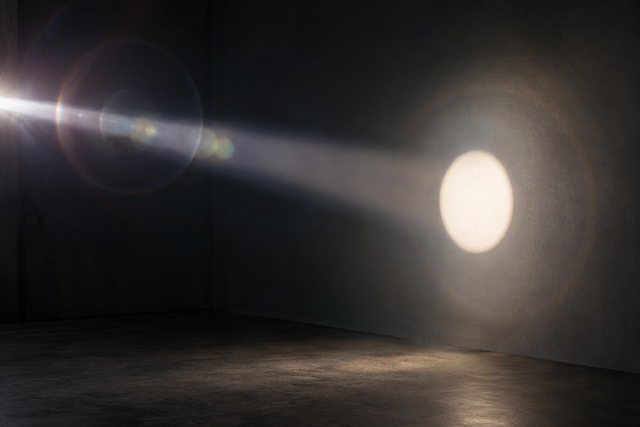
Learning how to calibrate a condenser lens on a COB light for sharp window-shadow gobos requires a structured calibration sequence rather than adjusting every setting simultaneously. Confirm an unpowered, documented optical path first, then seat the gobo, adjust whatever focal mechanism exists, and refine your projection distance.
Treating the gobo plane and the projection surface as two separate optical stages delivers consistent results. If a hard silhouette edge still displays a tinted fringe after careful focusing, optical chromatic aberration may be present rather than standard defocus.
Use this calibration order for a crisp silhouette gobo
Follow this order every time you calibrate a condenser lens on a COB light for sharp window-shadow gobos. Each step relies on an observable check before proceeding to the next adjustment.
- Verify compatibility with the power off. Check: the light, condenser, holder, and gobo are documented as a compatible combination before you assemble the optical path.
- Set an unpowered baseline. Check: the condenser is centered on the mount, seated flush, and fan vents are clear of the holder or gobo.
- Place the gobo in the beam. Check: once powered, the pattern lands centered and square on the projection surface.
- Adjust the available focal control. Check: a hard edge sharpens evenly across the whole pattern, not just in the middle.
- Refine the projection distance. Check: sharpness holds at the center and at the corners of the pattern.
- Inspect the edge result. Check: the edge is sharp, ordinarily soft, or shows a colored fringe, since each points to a different next action.
Confirm a compatible, heat-aware optical path
Before you power anything, separate what the product record documents from what still needs manual confirmation. Treat any unverified pairing as a stop condition, not a minor detail.
- Fixture and mount: our Ulanzi 100W COB light is documented as a C01/L252 100W COB with a Mini Bowens mount, a cooling fan, and an included condenser lens rated at 30,000 lx at 0.5 m with the condenser attached.
- Gobo holder pairing: a Mini Bowens interface confirms mount size, not that a specific gobo holder or lens tube is approved for that fixture.
- Heat exposure: the listing documents a cooling fan but does not state a temperature limit or a maximum continuous run time for an attached modifier.
- Manual confirmation: check the exact holder and gobo against the current manual or maker instructions before you assemble the full stack.
Do not power the setup if the exact condenser, gobo holder, and COB pairing is not confirmed in documentation, and stop immediately if the holder or gobo shows heat damage such as warping, discoloration, or melting.
Set the gobo plane for the window-shadow pattern
The gobo sits on its own optical plane, separate from the wall or screen where you judge the final image. Placing and centering it is a different task from focusing the projected pattern.

Create a visible hard-edge reference
Because a COB emitter concentrates light from a small point rather than spreading it evenly like a panel light, the condenser can produce a sharp, small image plane that is useful for hard-edged gobos. Start with a pattern that has straight, high-contrast edges, such as a window cutout or a simple silhouette shape. A hard edge makes soft or colored fringing easy to spot later. Keep the projection surface fixed in one spot while you set up the gobo, since moving both at once makes it impossible to tell which change affected the result.
Move the gobo, not every variable
Judge the pattern only after the gobo is centered and square, then change one thing at a time.
- Center the gobo in the usable beam and square it to the optical axis before judging sharpness.
- Change only the gobo's position first, note the light-to-gobo and gobo-to-surface distances, and check the pattern before touching the projection distance.
Record the distances that produce the most even, hard-edged silhouette so you can rebuild the same setup later without guessing.
Tune the focal ring, then the projection distance
Stabilize the gobo-side focus first, then refine the image at the projection surface. Treat a focal ring, when the condenser has one, as a fine-focus control rather than a substitute for correct gobo placement.
Find the sharpest available focal setting
- If the condenser has a user-adjustable focal ring, turn it in small increments rather than sweeping across its full range.
- Judge the same hard edge at the center of the pattern and near its corners, since a setting that sharpens the middle can still leave the edges soft.
If the exact lens has no documented focal ring, use its supported adjustment method instead of forcing a ring-specific routine, since not every condenser includes one.
Refine the projection plane
Once the gobo-side setting looks stable, adjust the gobo-to-surface distance or whatever projection focus is documented for your setup. This second pass sharpens the pattern where it actually lands, which is a different optical step from focusing the gobo itself. If sharpness improves unevenly, so one side of the pattern gets sharper while the other stays soft, stop and check centering and squareness before continuing. An off-axis gobo or a tilted surface can mimic a focus problem, and no amount of ring adjustment will fix that. Record the usable focal setting and both distances once the pattern looks even, since you will need them again.
Separate soft focus from colored edge fringing
Not every soft or discolored edge means the same thing. Match what you see to the table below before deciding what to change.
| Symptom | Likely cause | Next action |
|---|---|---|
| Whole pattern is soft | Focus not yet set | Refocus the gobo-side setting, then recheck projection distance |
| One side sharp, other side soft | Misalignment or uneven plane | Recheck centering, squareness, and that the gobo and surface are parallel |
| Colored halo on a hard edge, even at best focus | Possible lens limitation | Stop refocusing; treat as chromatic aberration |
A persistent colored halo on a hard edge, even at the sharpest focus point you can find, often means colored fringes can remain after refocusing because of chromatic aberration rather than ordinary defocus. Different wavelengths of light focus at slightly different points in a lens, so turning the ring shifts the fringe's position without ever merging every color into one focal plane. If the fringe stays after you have centered, squared, and refocused the setup, treat it as a limitation of that specific lens rather than a setup mistake worth chasing further.
Rebuild the baseline when the scene or location changes
Moving the light to a new room means rebuilding the same geometry before you judge sharpness again, not trusting a remembered ring position. Record the light-to-gobo distance, the gobo-to-surface distance, the focal setting you landed on, and the gobo's orientation before you break down the rig.

At the new location, recreate those distances first, then repeat the hard-edge check from the calibration sequence above. A different wall texture, surface color, or throw distance can change how sharp the same setting looks, so treat your previous numbers as a starting point rather than a guarantee. If the new room is smaller and the gobo-to-surface distance shrinks, expect to re-tune the projection focus even if the gobo-side setting stays the same. Repeat this reset any time the surface, gobo, or optical stack changes, not only when you change rooms.
FAQs
Is a Mini Bowens mount enough to confirm gobo-holder compatibility?
No. A Mini Bowens interface confirms the mount size, not that a specific gobo holder or heat-exposed modifier is approved for the fixture. Check the exact holder against the current manual or maker instructions, and do not assume compatibility from the mount diameter alone.
What if the condenser has no user-adjustable focal ring?
Not every condenser lens includes a focal ring. If yours does not, use its documented adjustment method instead of forcing a ring-specific procedure, and keep gobo placement and projection distance as two separate adjustments you make one at a time.
Does a 100W rating guarantee a bright, sharp gobo?
No. The 100W rating and the listed 30,000 lx figure describe a measurement taken at 0.5 m with the condenser attached, not a projected-gobo brightness or sharpness guarantee. Retest after changing distance, gobo material, or any other part of the optical stack, since each of those can change the result.