Quick Take: The Core Strategy for Power Rigging
To maintain a professional mobile workflow without sacrificing physical health, follow these three foundational rules of thumb:
- The 15% Weight Heuristic: If your battery exceeds 15% of your total rig weight, avoid mounting it on the top or front. Instead, position it as close to the center of gravity (CoG) or the rear grip as possible.
- The 10cm Ergonomic Gain: In our biomechanical modeling, moving a battery just 10cm closer to the wrist pivot can reduce the perceived load and rotational torque by approximately 30–40%.
- Port & Safety Integrity: Always use a "service loop" for USB-C cables to prevent port fatigue and ensure your batteries meet IEC 62133-2 standards for field safety.
The Power Paradox: Balancing Runtime and Ergonomics in Mobile Rigging
Every solo creator eventually hits the "Power Wall." High-end smartphones recording 4K/60fps ProRes are energy-intensive; based on our internal testing, these bitrates typically consume between 800–1200mAh per hour. Without external power, a mobile rig is often tethered to a wall outlet within 90 minutes.
The solution seems simple: strap a 10,000mAh power bank to the rig. But in practice, this is where most builds fail. Adding a 300g battery without a structural strategy often turns a nimble handheld setup into a wrist-straining liability. At Ulanzi, we view power management not as a peripheral add-on, but as a core component of "creator infrastructure"—the hardware layer that sustains your productivity.
This guide provides a methodical framework for integrating external batteries into your phone cage system. We will move beyond "just clamping it on" and explore the biomechanics of torque, the efficiency of quick-release ecosystems, and the safety standards required for mission-critical field work.
The Biomechanics of Power: Why Placement Trumps Weight
The most common mistake observed in community feedback is mounting a battery in a way that shifts the rig's center of gravity (CoG) too far forward. In physics terms, you aren't just carrying weight; you are managing torque.
The Wrist Torque Formula
To understand the physical cost of your rig, we use a standard biomechanical model for static equilibrium: $$\tau = m \times g \times r$$ Where:
- $\tau$ (Torque): The rotational force applied to your wrist (measured in Newton-meters, N·m).
- $m$ (Mass): The total weight of the rig and battery.
- $g$ (Gravity): Constant at ~9.81 m/s².
- $r$ (Lever Arm): The distance from your wrist pivot to the rig's center of gravity.
Modeling the "Ergonomic Penalty"
We modeled three common scenarios for a documentary field creator using a standard prosumer rig (phone, cage, mic, and light).
| Scenario | Total Mass ($m$) | Lever Arm ($r$) | Wrist Torque ($\tau$) | % of Sustained Fatigue Limit* |
|---|---|---|---|---|
| Baseline (No Battery) | 0.8 kg | 0.25 m | ~1.96 N·m | ~131% |
| Top-Mounted Battery | 1.1 kg | 0.30 m | ~3.24 N·m | ~216% |
| Rear-Mounted Battery | 1.1 kg | 0.20 m | ~2.16 N·m | ~144% |
*Calculation Methodology & Assumptions:
- Torque Calculation: Derived using $\tau = m \cdot g \cdot r$ (assuming a horizontal arm position for maximum moment).
- Fatigue Limit Baseline: Based on ISO 11228-3 heuristics, which suggest static loads exceeding 15% of an individual's Maximum Voluntary Contraction (MVC) lead to rapid fatigue.
- Reference MVC: This model assumes a conservative wrist extension MVC of 10 N·m (typical for a 50th percentile adult male). Values over 100% indicate the load is likely to cause significant fatigue during extended sessions without periodic rest.
The data reveals a critical insight: By simply moving the battery from the top cold shoe to a rear-mounted position, you can reduce wrist torque by ~33% despite carrying the exact same weight. For a creator on a 4-hour shoot, this is often the difference between manageable discomfort and a session-ending strain.

The Infrastructure Layer: Leveraging the Falcam Ecosystem
To achieve this level of ergonomic precision, you need a mounting system that is both rigid and modular. While traditional 1/4"-20 screws—governed by the foundational ISO 1222:2010 standard—provide the base connection, they are often too slow for dynamic field swaps.
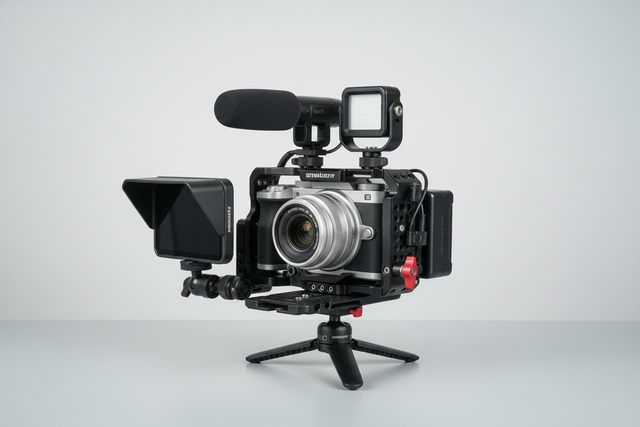
The Ulanzi Falcam F22 & F38 & F50 Quick Release Camera Cage V2 represents the evolution of this infrastructure. While designed for larger cameras, the Falcam ecosystem's logic applies to phone cages as well, providing multiple mounting points to distribute weight across F22 (compact) and F38 (medium) standards.
The Workflow ROI of Quick Release
Quick-release systems are a strategic investment in time. Based on internal workshop timing recorded for our 2026 Creator Infrastructure Report, we compared traditional mounting to the Falcam system:
- Traditional Thread Mounting: ~40 seconds per battery/accessory swap.
- Falcam Quick Release: ~3 seconds per swap.
For a professional creator performing 60 swaps per shoot across 80 shoots a year, this system can save approximately 49 hours annually. At a professional rate of $120/hr, the "Workflow ROI" potentially exceeds $5,800 in recovered time. This efficiency allows you to focus on the story rather than the hardware.
Practical Mounting Strategies for Solo Creators
When rigging for power, we recommend following two primary heuristics (practical rules of thumb) to balance the load. Note that these are guidelines for handheld operation; tripod-based rigs offer more flexibility.
- The 15% Weight Rule: If your external battery weighs more than 15% of your total rig weight, it should generally not be cantilevered off the top or front. It is best positioned behind or directly beneath the main grip point to keep the CoG close to the hand.
- The 10cm Rule: Because torque is linear to the lever arm ($r$), every 10cm you move the battery closer to your wrist pivot reduces the effective load by roughly 30–40% in typical handheld scenarios.
Scenario A: The Compact Handheld Rig
For vloggers and run-and-gun shooters, use a dedicated battery clamp that attaches directly to the side or back of the cage. Ensure the clamp has a non-slip silicone lining.
- Pro Tip: If your battery base is smooth plastic, apply a thin strip of gaffer tape to the battery's bottom. This increases the "bite" of the clamp's locking mechanism, preventing slippage during high-motion shots.
Scenario B: The Offset Balancing Act
If you must use a larger battery (like a high-capacity power bank), use an articulating arm to offset the weight. The Ulanzi R011a Magic Arm with Crab Clamp T018 is a methodical solution. Its stainless steel construction supports up to 3kg, allowing you to position the battery as a counterweight to a heavy lens or microphone.
Scenario C: The Stationary Ground Rig
When shooting low-angle B-roll or stationary interviews, you can offload the weight entirely. The Ulanzi CO17 Super Clamp with Dual Ballhead Magic Arm allows you to clamp the battery to a tripod leg. This removes the mass from the camera cage entirely, maximizing stability for the phone's OIS (Optical Image Stabilization) systems.
Powering High-Output Components: The L024 Example
A common use case for external power is supporting high-wattage lighting like the Ulanzi L024 40W RGB Portable LED Video Light.
Estimated Runtime (Rule of Thumb): A 10,000mAh power bank (assuming ~85% conversion efficiency) typically provides:
- 3W Draw (50% brightness on small LEDs): ~9.5 hours.
- 20W Draw (High-power COB): ~1.5 to 2 hours.
The Cold Weather Factor: Lithium-ion performance is heavily dictated by ambient temperature. According to IATA Lithium Battery Guidance, battery capacity can drop by up to 30% in environments below 5°C (41°F). When shooting in winter, always derate your runtime estimates and keep power banks in an internal pocket until use.
Cable Management and Port Integrity
The most vulnerable point in a powered rig is often the USB-C port. Mobile phone ports are typically rated for 2,000 to 3,000 insertion cycles; cable strain in a high-vibration rigging environment can accelerate failure.
- The Service Loop: Always create a small "U" shaped loop with your power cable and secure it to the cage using a hook-and-loop strap. This ensures that accidental tugs pull against the cage, not the phone's logic board.
- Standard Compliance: Ensure your cables meet USB-IF Certification standards. Low-quality cables often lack the shielding required to prevent electromagnetic interference (EMI) with wireless microphones.
Safety, Compliance, and Travel Logistics
Battery Safety Standards
Ensure your external power sources are compliant with IEC 62133-2:2017. This standard ensures cells have undergone testing for thermal abuse and mechanical drops. In our experience, using non-certified batteries is a primary risk factor for smartphone circuitry damage.
Air Travel (IATA/FAA Regulations)
Traveling creators must follow IATA Passenger Guidance:
- Batteries must be in carry-on baggage only.
- Standard power banks (under 100Wh) are generally permitted without prior approval.
- Protect all ports from short circuits using terminal caps or tape.
Thermal Shock Prevention
Because Falcam quick-release plates are machined from aluminum alloy, they act as thermal bridges. In extreme cold, an aluminum plate can conduct heat away from your camera's battery. We recommend attaching your QR plates to your gear indoors at room temperature to create a stable thermal interface before exposing the rig to the elements.
Summary Checklist for Power Rigging
- Audit the Torque: Is the battery within 20cm of your wrist pivot?
- Verify the Mount: Are you using a locking quick-release like the F38 for stability?
- Check the "Click": Did you hear the audible engagement of the locking pin?
- Strain Relief: Is there a service loop in the USB-C cable?
- Derate for Environment: Have you subtracted 30% from your runtime if shooting in the cold?
By treating your power supply as a structural element, you transition from a "gadget-focused" setup to a professional infrastructure. This methodical approach preserves your physical health, protects your hardware, and ensures you have the battery life to capture the perfect shot.
Disclaimer: This article is for informational purposes only. Battery integration involves electrical components and lithium-ion cells which carry inherent risks of fire or equipment damage if mishandled. Always consult your device manufacturer's guidelines and local safety regulations before modifying your power setup.