A MagSafe cine grip is a smart first upgrade for 2026 mobile creators who want steadier handheld shooting without committing to a full cage right away. It helps most when speed, portability, and a more deliberate shooting posture matter more than building an accessory-heavy rig on day one.

Why MagSafe Grips Became the New Entry Point
MagSafe grips have become a practical entry point because they solve the first upgrade problem: they make an iPhone feel more camera-like without making the kit feel heavy. Apple's MagSafe system uses a ring of magnets around the charging coil and case guidance, which is why the attachment feels fast and centered when the setup is aligned well.
That speed matters for mobile-first creators. In run-and-gun work, the best accessory is often the one you actually keep mounted, not the one that looks most "pro" on a shelf. A MagSafe cine grip gives you a faster path from casual shooting to a more intentional handheld posture, which is why it often becomes the first serious purchase before a larger rig.
The main boundary is simple: this is a workflow upgrade, not a footage-quality shortcut. A grip can make shooting feel more controlled, but it does not replace lighting, exposure discipline, or stabilization technique.
What a Cine-Grip Actually Changes
A cine-grip changes how the phone sits in your hand. Instead of pinching a slab of glass from the edges, you get a more secure hold that makes one-handed or two-handed shooting feel less awkward during longer takes. In real use, that usually means fewer micro-adjustments and less temptation to tap the screen every few seconds.
That ergonomic shift is not just comfort. In a long event clip or a travel vlog, a better grip can reduce hand fatigue and make it easier to keep framing steady while you walk, pivot, or switch angles. A creator who films for 20 or 30 minutes at a time will usually notice the difference sooner than someone who only records a quick clip.
A grip with a shutter button can also change behavior. TechRadar's hands-on grip experience describes the way a grip can reduce screen-touch interruptions, and that is the practical payoff: you spend less time breaking position to start or stop capture. See How to Attach Every MagSafe Accessory to Your iPhone the Right Way for alignment steps.
Hand Position and On-Set Comfort
For most mobile shooters, the first win is not technical. It is posture. A more shaped grip makes the phone feel closer to a dedicated camera handle, which can help when you are filming while walking, following action, or keeping one hand free for another task.
Shutter Control and Faster Reaction
If your workflow includes quick reaction moments, a Bluetooth shutter can be more valuable than it sounds. It keeps you from reaching across the screen at the wrong moment, and that helps when you are filming live reactions, events, or short-form clips where timing matters more than menu access.
Accessory Mounting and Expansion Room
Mount points matter because they decide whether the grip stays useful later. A grip with room for add-ons gives you a path to lights, mics, or quick-release gear as your setup grows. If it has no expansion room, it may be fine as a temporary helper but less useful as a transition tool.
Stability Gains Without Bulk
The trade-off is straightforward: a MagSafe cine grip is lighter and faster than a cage, but it usually offers less accessory security than a fully built rig. For creators who move between photo and video all day, that lighter footprint is often the feature that keeps the tool in the bag instead of at home.
MagSafe Grip Versus Full Rig
| Option | Setup Speed | Portability | Handheld Comfort | Add-On Capacity | Best For |
|---|---|---|---|---|---|
| MagSafe grip | Fastest | Highest | Strong for casual-to-serious handheld use | Moderate, depending on design | Creators who need a quick, low-commitment upgrade |
| Phone clamp or stand | Fast | High | Good for stationary work, weaker for movement | Limited | Simple desk, travel, or light content work |
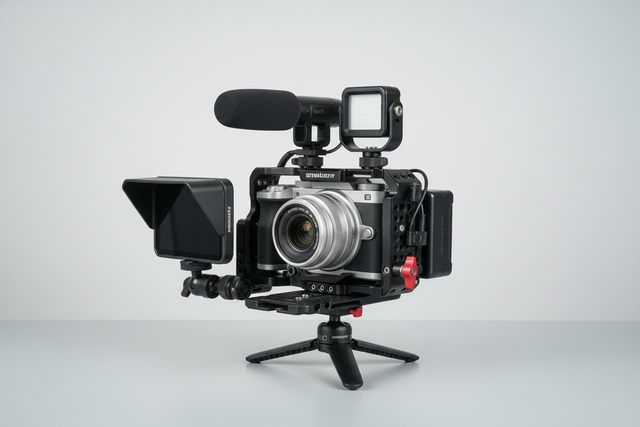
| Full cage | Slower | Lower | Strong once built out | High | Shooters who already know they need a more locked-in rig |
| Larger rig | Slowest | Lowest | Best when fully assembled | Highest | Multi-accessory production setups |
This chart helps show the real decision point. If you shoot quickly, move often, and want a better handheld feel without building a complex package, the MagSafe grip is usually the better starting point. If you already know you need a lot of accessories and a more fixed production build, the cage or larger rig is the better long-term answer.
The article's core choice is not "compact versus professional." It is "how much rig do you need right now?" If the answer is "not much, but I want a cleaner handheld workflow," a MagSafe grip is the better bridge. If the answer is "a lot, immediately," jump to the heavier setup instead of buying twice.

Who Should Upgrade in 2026
- Run-and-gun shooters should look first at a MagSafe cine grip because fast setup matters more than accessory depth when the shot is moving and the moment is brief.
- Travel vloggers often benefit because the grip adds control without turning a day bag into a gear case.
- Freelancers can use it as a low-risk bridge between client jobs and a larger rig investment.
- Hybrid photo-video creators get value when they need one accessory that still feels useful for stills, clips, and quick social cutaways.
- Creators who plan to expand later should check whether the grip supports a modular path, not just whether it feels good in the hand today.
A useful self-check is this: if you are more likely to grab the phone because the setup is quick, the grip is a fit. If you are more likely to leave the setup behind because it feels incomplete, you may be better off saving for a full cage.
For readers who are still sorting out their broader mobile kit, the Mobile Photo & Video Accessories collection is a reasonable browsing starting point. Compare Phone Tripods or the iPhone Magsafe Accessories collection before committing.
Building a Path Into Falcam
The strongest argument for a MagSafe cine grip is not that it replaces pro gear. It is that it gives you a stable first layer you can live with before you start stacking more hardware around it. That matters because many mobile creators outgrow "casual phone shooting" before they are ready to buy a full production system.
A phased build also reduces regret. Instead of buying a heavy rig before your workflow is proven, you start with a handheld tool that solves the daily pain point now. Once the workflow feels repeatable, you can add more structured mounting, release discipline, and accessory layering later.
For readers who are already thinking in modular terms, Ulanzi's Falcam ecosystem is the natural next browse stop. If you are trying to understand the logic of quick-release gear first, the Claw Quick Release Series is a more focused way to learn how compact setups can scale into faster swaps and more organized rigs.
If you want a deeper background on why standardized support matters in a growing kit, Ulanzi's own standard stability approach explains the reasoning behind a more modular creator workflow. That is useful context if your buying plan is really about the next two or three accessories, not just the grip itself.
Final Checks Before You Buy
- Confirm that the magnetic hold works with the exact phone and case setup you plan to use, because Apple notes that alignment and case thickness can affect hold strength.
- Confirm that the grip feels right in your hand for the way you actually shoot, especially if you film while walking or switching hands.
- Confirm that the control features you care about are built into the workflow, not just listed on the product page.
- Confirm that the grip still feels comfortable after a few minutes, since ergonomics matter more than spec-sheet appeal.
- Confirm that the upgrade path makes sense now, not only later, so you do not buy a stopgap you will immediately outgrow.
If you want a more direct compare point, Ulanzi's phone cage overview is a useful counterweight because it shows when the heavier route starts to make sense. For a more practical look at reliability and shake reduction, the mobile rig instability guide is a good follow-up after you decide what kind of setup you want. See the MagSafe Tripod Buying Guide: Who It's Best For and Where It Works for tripod-specific checks.
A MagSafe cine grip is worth buying when you want better handheld control, quicker setup, and a bridge into more structured rigging. It is not the right choice if you already know you need a fully accessorized build, but for many mobile creators in 2026, it is the most efficient first step.
FAQs
Q1. What Makes a MagSafe Cine Grip Worth It for Video?
It is worth it when you want a faster, more camera-like handheld workflow without turning your phone into a bulky rig. The real value is the combination of grip comfort, quick mounting, and easier reaction time. If you only shoot occasionally from a tripod, the upgrade may matter less.
Q2. Can a MagSafe Grip Replace a Full Phone Cage?
Sometimes, but only for lighter workflows. A MagSafe grip can cover casual handheld shooting, travel clips, and quick social content well enough. It starts to fall short when you need lots of mounts, a more locked-in build, or a setup that stays assembled through heavier production work.
Q3. How Does a MagSafe Grip Fit Into a Bigger Rig?
Think of it as the first stable layer. You can use it to make mobile shooting more deliberate now, then add more structured mounting or quick-release gear later when your workflow proves itself. That phased approach is often easier than buying a full system before you know what you actually need.
Q4. What Should I Check for iPhone 17 Pro Use?
Check the case, the alignment, and how the phone feels under real handheld use. Apple warns that magnetic attachment can vary by model, case thickness, and alignment, so the safe move is to verify your actual setup before extended shoots. Do not assume a good fit from the product name alone.
Q5. Why Do Creators Start With MagSafe Before Falcam?
Because it lowers the commitment barrier. A MagSafe grip is easier to adopt, easier to carry, and easier to test in real work. If the workflow grows, you can move into a more modular Falcam setup later without paying for the heavier rig before the habit is proven.
Related Resources
Explore these targeted resources to compare options and plan your next step: