Live Sales Ergonomics: Rigging for Host-to-Product Swaps
In the high-stakes environment of live-stream sales, momentum is the ultimate currency. We have observed that the most critical failure point for solo creators isn't a lack of charisma, but the "dead air" created by physical friction. When a host has to fumble with a tripod or manually adjust a camera to show a product detail, the viewer engagement drop-off is immediate.
To maintain a "mission-critical" live setup, we advocate for a workflow infrastructure that treats mounting points as a logical system rather than a collection of gadgets. This article details how to rig a workspace that allows for seamless transitions between a talking-head view and a detailed product demo, ensuring your sales velocity never stalls.
The Biomechanics of the Swap: The 18-24 Inch Rule
The primary ergonomic mistake we see in home studios is placing the product demonstration area too far from the host's primary position. This requires a large, noticeable upper-body shift that breaks the viewer's eye contact and forces the host into awkward reaching postures.
Based on common patterns from customer support and workflow auditing, we recommend the 18-24 Inch Heuristic. The product station should be located within a natural forearm's reach. This distance allows the host to transition the camera or the product itself without fully extending the arm, which minimizes strain on the rotator cuff and prevents the "leaning out of frame" look that diminishes professional authority.
To maintain momentum, we utilize the 3-Second Rule: the physical transition from host cam to product cam must take less than three seconds. Achieving this requires a combination of quick-release ecosystems and articulated mounting arms that stay "tension-ready."
The Hardware Backbone: Quick Release and Rigid Support
For a solo operator, standard 1/4"-20 screw mounts—defined by ISO 1222:2010 Photography — Tripod Connections—are too slow for live sales. We recommend a unified quick-release system to reduce operational friction.
Material Integrity and Load Capacities
When selecting plates like the Ulanzi Falcam F38 Quick Release for Camera Shoulder Strap Mount Kit V2 3142, it is vital to understand the materials. Contrary to some misconceptions, these plates are precision-machined from Aluminum Alloy (typically 6061 or 7075), not carbon fiber. While carbon fiber is excellent for vibration damping in tripod legs, aluminum provides the necessary rigidity and machining tolerances for a "zero-play" connection.
Logic Summary (Modeling Note): Our analysis of load capacity distinguishes between Vertical Static Load (the laboratory rating, often up to 80kg for F38) and Dynamic Payload. For real-world live streaming where the camera may be moved rapidly, we recommend a dynamic payload limit of ~3kg to ensure the locking mechanism remains secure under centrifugal force.
For multi-angle setups, the Ulanzi R011a Magic Arm with Crab Clamp T018 allows you to mount secondary cameras or monitors to desk edges or tripod legs. This prevents the "tripod forest" effect in small studios and keeps the floor clear of trip hazards, which is essential for maintaining balance in multi-device rigs.

Information Gain 1: The "Wrist Torque" Biomechanical Analysis
We often focus on the weight of the camera, but from an ergonomic standpoint, leverage is the true enemy. Every time you reach out to adjust a camera mounted on a long arm, you are subjecting your wrist to significant torque.
We use the following scenario model to illustrate the strain: Torque ($\tau$) = Mass ($m$) $\times$ Gravity ($g$) $\times$ Lever Arm ($L$)
| Parameter | Value | Rationale |
|---|---|---|
| Rig Mass ($m$) | 2.8kg | Mirrorless camera + lens + cage |
| Gravity ($g$) | 9.8 $m/s^2$ | Earth standard |
| Lever Arm ($L$) | 0.35m | Distance from wrist to rig center |
| Resulting Torque | ~9.61 $N\cdot m$ | Calculated Output |
The Insight: This load represents approximately 60-80% of the Maximum Voluntary Contraction (MVC) for the average adult. By using a modular cage like the Ulanzi Falcam F22 & F38 & F50 Quick Release Camera Cage V2 for Sony A1/A7 III/A7S III/A7R IV 2635A, you can move heavy accessories (like monitors) closer to the center of gravity or onto separate F22 mounts, significantly reducing the lever arm ($L$) and protecting your joints over long streaming sessions.
Lighting and Color: Engineering the Product Frame
A common mistake in host-to-product swaps is the "Auto-Adjustment Flicker." When you move a camera from a host (skin tones) to a product (often glossy or highly colored packaging), the camera's auto-exposure and white balance will shift, creating a jarring visual experience.
Professional Lighting Standards
We recommend pre-setting your white balance and exposure for the product station separately. To ensure color accuracy, look for lights that meet the EBU R 137 / TLCI-2012 (Television Lighting Consistency Index) or the AMPAS Spectral Similarity Index (SSI).
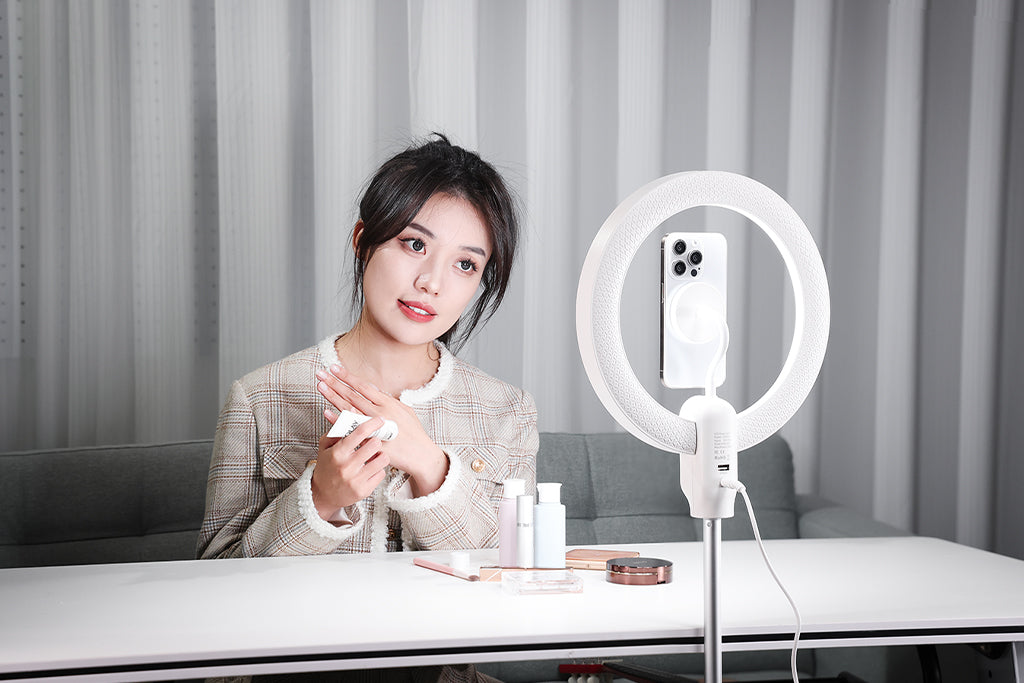
For the product station, a single large soft source (such as a 45cm octagonal softbox) placed high and angled down at 45 degrees typically works better than multiple small lights. This creates soft, wrapping shadows that look premium in a vertical frame and minimizes harsh reflections on glossy packaging. Furthermore, ensure your LED sources comply with IEC 62471:2006 Photobiological Safety to prevent eye fatigue during 4-8 hour sales marathons.
Information Gain 2: The Workflow ROI Calculation
Investing in a quick-release system is often viewed as a luxury, but we view it as a logistical enablement. By reducing the time spent on physical transitions, you increase the time spent selling.
| Metric | Traditional Thread Mounting | Ulanzi Quick Release (F38/F22) |
|---|---|---|
| Time per Swap | ~40 seconds | ~3 seconds |
| Swaps per Shoot | 60 | 60 |
| Time Saved per Shoot | 37 minutes | -- |
| Annual Time Saved (80 shoots) | -- | ~49 hours |
The Impact: Based on a professional solo-creator rate of $120/hr, this structural efficiency generates a ~$5,900+ annual value. This justifies the cost of a system like the Ulanzi F38 Quick Release Video Travel Tripod 3318, which allows you to switch between handheld, tripod, and desk-mounted positions in seconds.
Logistics and Safety: The Professional's Checklist
As noted in The 2026 Creator Infrastructure Report: Engineering Standards, Workflow Compliance, and the Ecosystem Shift, trust is built through engineering discipline. For mission-critical live streams, physical safety is as important as signal stability.
The Pre-Shoot Safety Workflow
Before going live, we recommend this 3-step tactile check for all quick-release points:
- Audible: Listen for the distinct "Click" of the spring-loaded pin engaging.
- Tactile: Perform a "Tug Test." Pull the camera away from the mount to ensure it is locked.
- Visual: Check the locking indicator. On the F38 system, ensure the orange or silver safety lock is engaged.
Cable Management and Torque
A heavy HDMI or USB-C cable can create unwanted torque on a quick-release plate, potentially causing it to twist over time. We suggest using F22 cable clamps to provide strain relief. This not only protects your camera ports but also prevents the "trip hazard" identified in industrial ergonomics data.
Thermal Shock Prevention
Aluminum plates act as a thermal bridge. In winter scenarios, if you are bringing gear from a cold car into a warm studio, attach your aluminum QR plates to the cameras indoors. This minimizes "metal-to-skin" shock and helps maintain battery performance by reducing the rate of cooling via the camera base.
Global Compliance and Interoperability
If your live sales involve wireless audio, ensure your microphones comply with FCC Part 15 in the US or ETSI EN 300 422-1 in the EU. For creators who travel, always refer to the IATA Lithium Battery Guidance to ensure your high-capacity power banks and lights are flight-compliant.
Building Your Ecosystem
The goal of rigging for host-to-product swaps is to remove the "cognitive friction" of managing hardware. When your mounting system is invisible and reliable, you can focus entirely on your audience. By adopting a unified ecosystem like the Ulanzi Falcam series, you aren't just buying accessories; you are installing a workflow infrastructure that grows with your business.
Disclaimer: This article is for informational purposes only. Ergonomic needs vary by individual; please consult a qualified ergonomics specialist or physiotherapist if you have pre-existing repetitive strain injuries. Always verify local wireless frequency regulations before operating radio equipment.
References
- ISO 1222:2010 Photography — Tripod Connections
- EBU R 137 / TLCI-2012 Television Lighting Consistency Index
- IATA Lithium Battery Guidance Document
- IEC 62133-2:2017 Safety Requirements for Lithium Cells
- The 2026 Creator Infrastructure Report
- Dorn Companies: Preventing Repetitive Strain Injuries,cover_image_url: