A neck-mounted action camera tilts down under winter clothing because the coat or hoodie changes where the strap rests and how much support it gets. The fix is to put the same outfit back on, re-center the mount, use whatever adjustment controls the mount offers, and then check the framing before you start walking. Skipping the walk test is the most common reason a setup that looked fine standing still ends up filming your chin outdoors.
Clothing bulk isn't a separate problem to work around later. It's part of the setup itself, so every adjustment below should happen with your recording layers already on.
Reset the Mount for Your Winter Outfit
Fix the tilt by adjusting with your coat or hoodie already on, not after you take it off. Restore centered support first, then use your mount's own controls before you touch the camera angle.
- Put on the same coat, hoodie, or layered clothing you'll wear while recording, then check how the added bulk sits under the strap.
- Center the mount over your chest or collarbone area and check whether the extra fabric has pushed it downward or off to one side.
- Seat the camera attachment fully and tighten or reposition the strap so the mount stops sliding before you touch the framing.
- Use the mount's own adjustment features if it has them. On the ZJ09 neck mount, that means reshaping the flexible gooseneck arms and resetting the adjustable strap and flexible arms rather than forcing a different fastening method, then using the 360-degree rotation to square up horizontal or vertical framing.
- Stand still and confirm the view is level and forward-facing before you move on to a walk test.
Don't compensate by tilting the camera upward before the support itself is solid. An angle you set on top of a mount that's still slipping will just droop again a few minutes later.
Match the Fix to Where the Tilt Starts
The moment the tilt appears tells you which fix to try. A droop that shows up the instant you attach the camera points to setup; a droop that only shows up once you start walking points to movement or clothing.

If It Tilts Immediately
Check clothing pressure and centered support first. If the mount was pushed off-center by coat bulk, recentering it usually resolves the tilt without any other change. Confirm the camera attachment is fully seated and that you set the starting angle after positioning the mount, not before. Only reframe once the support itself stays in place; reframing before that just hides a slipping mount instead of fixing it.
If It Tilts Only While Walking
Watch whether your layers compress or shift as your body moves, since soft or bulky clothing can settle differently after a few steps than it does standing still. Check for movement at the attachment point or at any flexible support arm, since a loose joint often shows up only once you're in motion. If the forward view changes at all during a short test walk, stop and readjust rather than finishing the outing and hoping it settles.
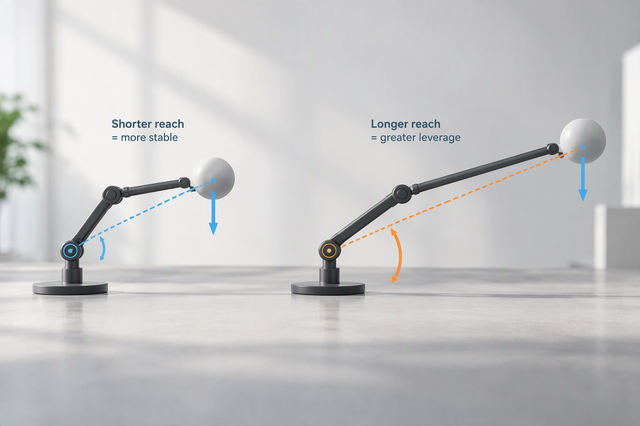
A mount can feel front-heavy simply from the camera's weight, and readjusting support position before reframing is the more reliable first move; a counterweight should only be added if your exact mount's documented setup supports it, since not every mount is built for one.
Walk-Test the Setup Before Recording
A stationary check only confirms your starting position. It doesn't prove the mount will hold that angle once you're moving, so a short walk test is the step that actually clears you to record.
- Stand still first and confirm the camera is level and pointed straight ahead.
- Walk a short distance in the same coat or hoodie and watch whether the frame drops, rotates, or stays put.
- If the view changes at all, stop, reseat or readjust the mount, then repeat the stationary check before you walk again.
Treat a passing walk test as your green light to record the full outing. A setup that only looked steady indoors or without a coat hasn't actually been tested yet.
When the Mount Still Cannot Hold the Angle
If the camera still droops after correct positioning and a passing walk test, that's no longer a framing mistake. It's time to check the exact mount's documented limits instead of improvising another fix.
Documented Controls That May Matter
| Mount | Documented control or boundary | Decision relevance |
|---|---|---|
| Ulanzi ZJ09 | Adjustable nylon strap, flexible gooseneck arms, 360° rotation; rated load ≤600 g / 1.32 lb | Useful when you need to reshape support and reframe after adding winter layers |
| Ulanzi Go-Quick II | Bendable silicone-and-metal support; stated capacity ≤1 kg | Useful when your setup needs a shapeable support point rather than a fixed strap |
Neither figure is a promise that a given camera-and-coat combination will hold its angle. A load rating only tells you what weight the mount is built to carry, not whether it will stay level with your specific accessories.
When to Verify Instead of Improvise
If your current mount passes the walk test after repositioning, keep using it; there's no reason to replace a setup that already works. If you're weighing a replacement, the ZJ09 neck mount is a documented option for adjustable strap and gooseneck control, and the Go-Quick II neck mount offers a shapeable support and load limit built around bendable silicone and metal. For either one, compare your complete camera-and-accessory weight against the stated capacity before assuming it will fix a persistent droop, and don't add a counterweight or assume compatibility with your specific camera until the exact product listing confirms it.

FAQs
Can I just point the camera upward to fix a downward-tilting neck mount?
Only once the support itself is holding still. If the mount is still slipping or compressing under your coat, tilting the camera up just delays the droop instead of solving it. Reset the support position first, then set the angle, and confirm it with a walk test.
What should I check if the camera stays level while standing but tilts down when I walk?
That pattern points to movement, not your starting angle. Check whether your layers compress as you move, whether the attachment point has any play, and whether a flexible arm is flexing under motion. Stop, readjust, and repeat the walk test rather than assuming you set the wrong angle to begin with.
Does a mount's weight capacity guarantee that the camera will stay level?
No. A stated capacity, like the ZJ09's 600 g rating or the Go-Quick II's 1 kg rating, only tells you the maximum weight the mount is built to support. It doesn't confirm that your specific camera, case, and accessory stack will hold a level angle under your clothing. Weigh your full setup and compare it to the listed limit, then confirm the fit with your own walk test.