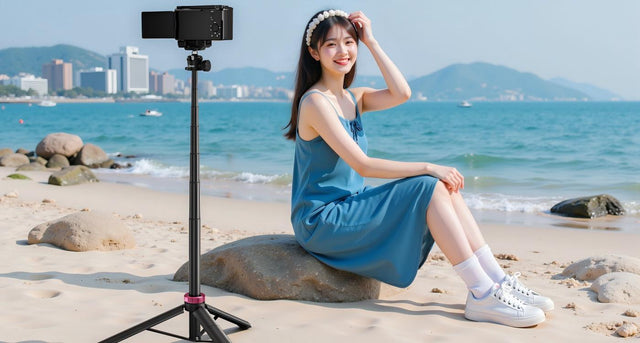
You have a great smartphone, but taking a consistent shot is difficult. We've all tried to balance our phones on a fence for a group photo or set them on books for a video call.
A tripod is one of the must-have iPhone accessories (and for Android phones, too!), but this raises an important question: are phone tripods universal? The quick answer is: mostly, yes, but not 100%. The way tripods join is standard, but the part that holds your phone is not universal. This post will describe the easy steps you need to take to get the best tripod for your phone.
How Phone Tripods Work: A Simple Breakdown
A "phone tripod" is really a two-part system. To know if it will fit, you just need to understand these two pieces.

The Holder (or Clamp)
This is the piece that physically grabs your phone. It's the most important part for compatibility. Most are spring-loaded (you pull them open) or screw-tighten (you twist a knob to get a secure grip).
For example, the Ulanzi MA30 is purpose-built for iPhones with MagSafe. It uses dual-sided magnetic attachment and a carabiner-style frame, allowing instant snap-on mounting and quick switching between vertical and horizontal shooting.
The Tripod (The Legs)
This is the base that sits on your table or the floor. It gives you a steady platform and has a "head" on top that lets you tilt or turn your phone.
The "Magic" Connection (The 1/4"-20 Screw)
Here is the "universal" part. The holder attaches to the tripod legs using a standard-size screw. It's called a 1/4"-20 screw, and it's the same one used on almost every camera and tripod for decades. This is how to attach phone to tripod systems. The bottom of any standard holder (a universal smartphone tripod mount) has a 1/4"-20 hole, and the top of every tripod has the matching screw.
The connection between the holder and the tripod legs is almost always universal. The real challenge is making sure the holder will fit your specific phone.
What Really Determines if a Tripod Fits Your Phone?
This is where you must pay attention. True phone tripod compatibility is determined by the physical fit of your phone and the holder rather than the screw. Here are the four items to verify.
Phone Width (and Your Case!)
This is the #1 mistake. A holder doesn't fit all phones; it fits a range of widths (for example, "2.2 inches to 3.5 inches"). You must measure your phone's width while it's in its case. A thick, protective case can easily make your phone too wide for a standard holder.
Phone Thickness and Camera Bumps
If you have a very thick case (like a wallet or battery case) or a huge camera bump (common on the best tripod for iPhone Pro models or best tripod for Android Ultra models), a shallow clamp can't get a safe grip. This is a big problem when finding a tripod for large phones.
Phone Weight and Tripod's "Max Load"
"Fitting" is not the same as "supporting." You might be able to fit a heavy, top-end phone into a flimsy, cheap tripod, but it will be top-heavy and fall over. Always check the tripod's "Max Load Capacity" (or "weight limit") to make sure it can safely hold your phone.
Clamp Design and Side Buttons
This is the hidden problem. A poorly designed clamp might have its arms land right on your phone's power or volume buttons. This can cause your phone to shut off or change volume while you're trying to film.
To get a good fit, measure your phone's width with its case, check its thickness, and compare its weight to the tripod's limit. Also, look at the clamp's design to make sure it won't press your buttons.
Do You Need a Special Tripod for Your Phone?
Most people can use a general-purpose tripod, but some phones need a special solution.
"Universal" Adjustable Mounts
This is what 90% of folks will utilize. They employ a spring-loaded or screw-tightening clamp with a wide adjustable range. They are the most suitable tripod for all phone sizes in the usual "bar" or "slab" form. They are versatile, cost-effective, and compatible with the majority of iPhones and Android devices.
Specialized Mounts
These are for phones with unusual shapes.
- For Foldable Phones: A regular phone clamp will not work well. A phone like a Z Fold is as wide as a small tablet when open, so you must get a "tablet mount." A phone like a Z Flip is often too thick when closed.
- For Magnetic-Compatible Phones: If you have a newer iPhone (or a case with a magnetic ring), you can use a magnetic mount. These are incredibly fast; you just snap the phone on. The trade-off is that they only work with those specific phones. A great example is the Ulanzi MA38, a MagSafe tripod that magnetically locks onto the phone's MagSafe ring, supports up to 400 g safely, and doubles as a 5‑in‑1 setup: phone stand, handheld, tripod, mantis, and snap modes for any shooting need. This is a portable and flexible companion for iPhone videographers and vloggers.
Professional Rigs and Cages

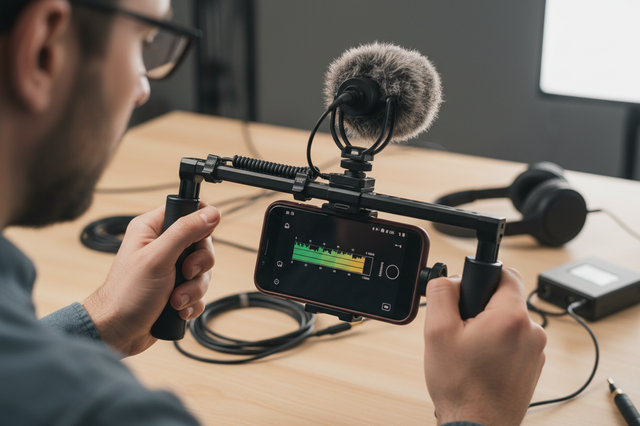
These are for the serious videographers. A "cage" is a metal frame designed to fit a specific phone model (such as the iPhone 15 Pro). It is the most secure choice and allows you to add microphones and lights, but it is pricey and not universal at all. The Ulanzi LM19 (L049GBB1) is a MagSafe LED ring light magnetically attached to the back of the phone or tripod, offering 2500 K–8500 K color temperature, 10–100 % brightness control, and a reversible design that flips from front to back for selfie or subject lighting.
Most folks will be satisfied with a conventional "universal" adjustable mount. If you have a foldable phone or need to add a lot of accessories, you should look for a dedicated mount.
A Simple Checklist for Buying the Right Tripod
Here are the practical steps to follow so you can buy with confidence.
Measure Your Phone First. Grab a ruler. Measure the width and thickness of your phone while it's in its case. Write these numbers down.
Read the Product Specs. When you shop, look for the "Supported Width Range" or "Clamp Range" and compare it to your measurement.
Choose a Screw-Tighten Clamp for Heavy Phones. If you have a large, heavy "Pro" or "Ultra" phone, a screw-tighten clamp is much safer and more reliable than a spring-loaded one.
Check the "Max Load" (Weight Limit). Make sure the tripod legs can handle your phone's weight. A sturdy base is just as important as a secure clamp.
Look at Photos for Button Placement. Look at the product pictures. Where do the clamp's arms sit? Do they look like they will hit your volume buttons? Look for holders with cutouts to avoid this.
Think About How You'll Use It. For travel, a lightweight, flexible "octopus" tripod is great. For filming at a desk, a sturdier tabletop stand is a better choice.
Taking a moment to measure your phone and read the product details will save you a lot of trouble. A screw-tighten clamp and sturdy legs are always a good choice for heavier, more expensive phones.
Choose Your Next Phone Tripod Confidently
Looking for a phone tripod is no longer a guessing game. You know the three secrets to a flawless fit: measure your phone in its case, verify the tripod's weight capacity, and keep an eye out for those side buttons. Now you can get the right one the first time and start shooting silky-smooth films and blur-free images.
FAQs About Phone Tripods
Q1: Will a phone tripod fit my iPhone 15 Pro Max or Samsung S24 Ultra?
Yes, but you must choose wisely. These large phones fit the width of most holders. The biggest drawbacks are their excessive weight and significant camera bumps. You should opt for a solid tripod with a large weight capacity. A "screw-tighten" clamp is significantly safer for these phones than a spring-loaded one. Also, look for a clamp with deeper jaws so that it can firmly grab the phone without being pushed off by the camera bump.
Q2: Can I use a phone holder with my "real" camera tripod?
Absolutely. This is one of the best features of the system. Nearly all camera tripods, large and small, have the same basic 1/4"-20 screw on top. You can buy only the "phone holder" (a universal smartphone mount) for a few bucks and put it right onto your existing camera tripod.
Q3: My tripod clamp is repeatedly pressing my phone's side buttons. What can I do?
This is a common issue. First, try sliding the phone slightly up or down in the clamp to get the arms away from the buttons. If this causes the phone to become unbalanced, you will most likely need to replace the holder. Look for a holder with "cutouts" or a "skeleton"-style frame that leaves the phone's sides exposed, preventing contact with the buttons.