Standard white lighting is often flat and boring. While it gets the job done for a basic video call, it rarely grabs attention. Top creators use color to stop people from scrolling past their content. Adding a splash of red, blue, or purple can turn a plain room into a professional studio.
RGB lighting is such a powerful tool for any creator. It helps you set a specific mood, separate yourself from the background, and build a unique look for your brand. This list covers 10 creative setups ranging from subtle accents to bold color contrasts that you can try today.
1. The "Cyberpunk" Neon Look
The "Cyberpunk" style is about high-contrast, futuristic vibes. To get this look, use a mix of hot pink, cyan, and deep purple. Instead of hiding your lights, place your RGB light tubes directly in the frame. You can lean them against a wall or stand them up behind you. This creates a glow that feels like a neon-lit city at night. This setup works great for tech reviews, gaming videos, and edgy portraits where you want a stylized, artificial feel.
2. The "Golden Hour" Simulation

Set one video light to a warm orange or yellow (around 2500K to 3000K) and place it at a low angle to the side of your subject. To make it look more realistic, place a second light on the opposite side set to a soft, dim blue. This mimics the natural shadows found outdoors during dusk. It is a perfect choice for lifestyle vlogs, food photography, or cozy product B-roll where you want a natural, inviting warmth.
3. Emotional Color Washes
Colors are linked to specific feelings. A single dominant color wash can tell a story without words. For example, a deep blue wash creates a sense of sadness, calm, or coldness. A bright red wash brings energy, danger, or passion to the scene. To do this, flood your entire background or subject with one solid hue. This technique is popular in music videos and narrative storytelling where the goal is to make the audience feel a specific emotion instantly.
4. Teal and Orange Contrast

The teal and orange look is the gold standard in Hollywood movies. It works because these two colors sit opposite each other on the color wheel, creating a pleasing contrast.
- Use a standard white light for your face (the key light) to keep your skin tones looking natural.
- Then, set your background RGB lighting to a cool teal.
- Finally, use a small orange light behind you to catch your hair and shoulders.
This pulls you away from the wall and adds a professional, cinematic depth to interviews and talking-head videos.
5. The Color Rim Light
A rim light, also called a hair light, outlines your subject to keep them from blending into a dark background. Instead of using a plain white light, try a pop of color like purple or green. Place a small LED panel behind and slightly above your head, pointing toward your back. Since the light only hits your edges, it won't mess up the colors on your face. This is a favorite trick for professional streamers and business portraits who want a subtle "pop" that looks polished.
6. Silhouette with Colored Backdrops
Creating a silhouette is a great way to add mystery or focus on movement.
- For this setup, place your subject in front of a plain white wall.
- Point a bright RGB light at the wall rather than at the person.
- Make sure there are no lights hitting the front of your subject.
The person will appear as a dark shadow against a vibrant, glowing background. This looks amazing for fitness videos, dance clips, or any shot where the shape of the body is the main focus.
7. RGB Light Painting
Light painting uses a long exposure to "draw" with light in a dark room. You will need a camera that allows you to slow down the shutter speed to about 2 or 5 seconds (or even longer depending on your movement speed). Set your camera on one of your camera tripods so it stays perfectly still. While the shutter is open, move a handheld light tube in circles or waves behind your subject. The result is a photo with beautiful, glowing trails of light. This is a fantastic way to create artistic portraits or unique product shots for social media.
8. Dynamic Police and Siren Effects
Most modern lights come with built-in "Scene Modes." One of the most common is the police car effect, which flashes red and blue. This creates a sense of urgency and drama. To make it look real, hide the light just out of frame and let the flickering colors bounce off the walls or the subject's face. This is a simple way to add production value to action scenes, dramatic skits, or even storytelling segments in a vlog.
Note: Be careful using flashing red and blue lights outdoors as it can be illegal to impersonate emergency vehicles in public spaces.
9. Product "Hero" Lighting
Product photography often requires showing off textures and edges. You can do this by placing two lights on opposite sides of a product. For example, put a blue light on the left and a red light on the right. The two colors will meet in the middle, highlighting the shape of the item and making it look "heroic" and high-end. This setup is very common for unboxing videos and commercial shots for electronics or sports gear.
10. Practical "In-Scene" Lighting

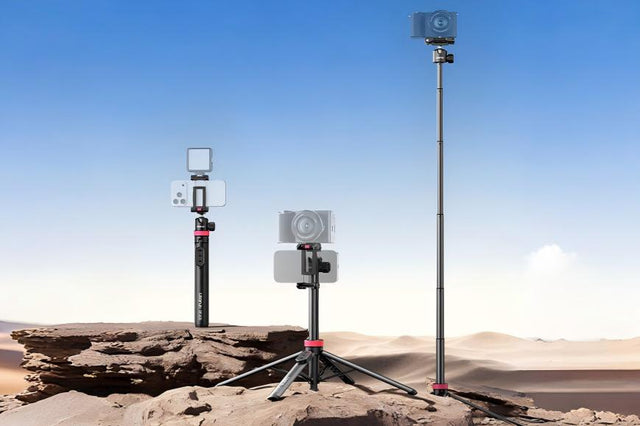
Sometimes the best lighting comes from things you can see in the room. You can hide small puck-sized lights inside lamps, under desks, or on bookshelves. This adds layers of light to your background, making a home office or a small bedroom look like a professional studio. If you are filming with a phone, using a phone tripod helps you frame the shot so these "hidden" lights highlight the best parts of your room without creating a mess of wires.
Elevate Your Content Using RGB Lighting
Start small by testing a single RGB light to see how it shifts the mood. The best setups support your story without distracting your viewers. Experimenting with these ten ideas helps turn a basic room into a professional studio. Grab your phone tripod, set your colors, and start filming!
FAQs about RGB Lighting
Q1: Do I need expensive lights for these effects?
No. You can find affordable LED panels and tubes that offer full color control. Even a cheap light can produce great results if you position it correctly. The most important thing is having a light that allows you to adjust the brightness and the specific hue.
Q2: How do I prevent RGB lights from making skin look weird?
The secret is to keep your main light (the one hitting your face) a natural white or "daylight" color. Use the RGB colors for the background, the sides, or the back of your head. This keeps your skin looking healthy while the rest of the scene stays colorful.
Q3: What colors work best together?
Complementary colors—those on opposite sides of the color wheel—usually look best. Popular pairs include teal and orange, purple and yellow, or blue and red. If you want a calmer look, use colors that are next to each other, like blue and green.
Q4: Can I use RGB lights for daylight video shoots?
Yes, but you will need very bright lights. Sunlight is much stronger than most small LED panels. If you are filming near a bright window, use your colors in the darker corners of the room to make sure they actually show up on camera.