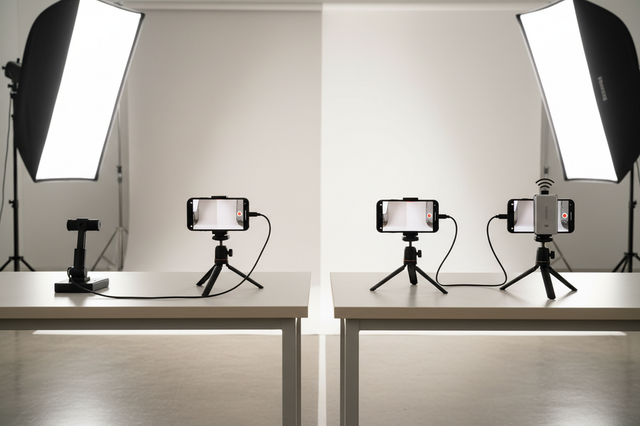
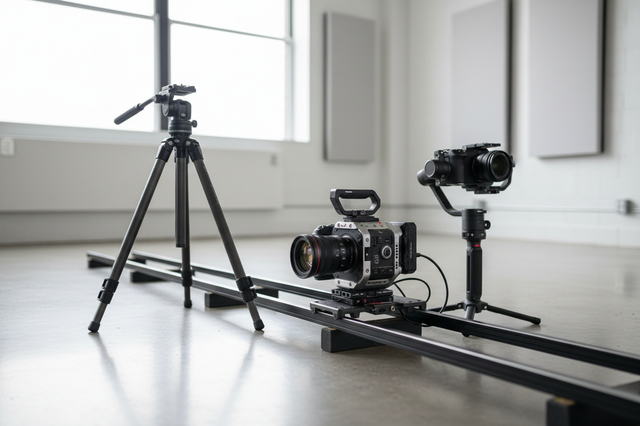
A scalable desk studio for solo creators is one that can grow in phases without forcing a full rebuild. The goal is not to pack in the most gear. It is to keep the main work position, cable paths, and mounting points usable as your content shifts from editing to filming, streaming, or client work.
Sources

What Makes a Desk Studio Scalable
Scalable means expandable and compatible, not just tidy. In practice, that means your desk can accept new lights, mounts, cameras, or storage without breaking the setup you already rely on. ISO 1222:2010 defines standardized tripod and support threads, which is a good reminder that modular gear works best when it shares common mounting points. That standard structure is useful because it helps creators add parts in stages instead of replacing everything at once.
The three planning dimensions that matter most are surface space, vertical mounting space, and cable path. If any one of those fills up too early, the desk stops feeling scalable. A modular setup is usually better than a maximal one because it leaves room for daily work, not just for a finished-looking photo.
A good test is simple: can you add one tool, reroute one cable, or move one arm without losing the main work position? If the answer is yes, the setup is probably still scalable. If not, it may look organized but be hard to expand. If you want a broader visual system for keeping that balance, see this clutter-free desk rig approach.
Choose the Right Base Layout
The best base layout depends on what the desk does most often. An editing-first creator usually benefits from a simpler workstation with a clear front edge and fewer on-desk objects. A hybrid creator desk needs more flexibility for filming, live work, and quick gear changes. A compact multi-use studio needs the most discipline because every inch has to serve more than one task.
For most solo creators, the safest choice is the layout that reduces daily resets. If you use the desk for editing every day and filming only sometimes, do not design around the rare setup first. Choose the arrangement that supports the most common session, then leave one expansion lane for the next tool.
Desk width and depth matter because they determine whether gear has to live on the surface or can move off to the sides and above. Wall space matters too. A desk pressed too tightly into a corner often becomes hard to film from, hard to cable, and hard to grow. If you need a practical follow-up on room planning, the section on long-form editing ergonomics is a useful companion.
A compact room is not a dealbreaker. It just means the base layout should protect chair movement, access to drawers, and a clear path for cables behind the desk. When those basics are crowded, the studio usually becomes frustrating before it becomes truly flexible.
Build in Ergonomics and Cable Control
For long sessions, neutral body positioning is the target. OSHA describes neutral positioning as joints staying naturally aligned, which helps reduce stress during extended computer work. Their monitor guidance also suggests keeping the top of the screen at or below eye level and roughly 20 inches away. That does not guarantee comfort, but it gives you a grounded starting point for the main screen position.
The practical order is: set the monitor, then the keyboard, then the chair, then the secondary gear. If the main screen is too high or too close, extra accessories will not fix the base problem. The same goes for reach. If you have to twist constantly for a mouse, mixer, or control pad, the desk may be scalable on paper but still tiring in use.
Cable control is a safety issue, not just a visual one. OSHA's office safety guidance says cables should stay clear of walking paths and be inspected for damage. That matters in a creator desk because video, lighting, audio, and charging cables tend to multiply fast. Once they start crossing the workspace, the setup is harder to clean, harder to change, and easier to snag.
A heavy creator rig can also deserve extra power caution. A higher-load desk setup can approach typical residential circuit limits, so it is smart to think about outlets, strips, and device distribution before everything is plugged in at once. That is less about chasing perfect numbers and more about avoiding a power plan that gets cramped as the studio grows.

Add Gear in Phases Without Rebuilding
The best upgrade order is friction-led, not fixed. Start with the piece that removes the most obvious bottleneck, then re-check the base setup before buying the next thing. If framing or repositioning slows you down, camera support usually comes first. If your shot looks inconsistent or the desk feels dim, lighting is often the better next step. If audio placement or desk movement affects recordings, then mounting or audio support becomes more important.
This is where modular desk studio setup for creators pays off. You are not trying to buy every accessory in the same week. You are trying to preserve a stable core while removing one constraint at a time. That usually keeps spending more targeted and the desk less crowded.
For desk-based filming, overhead support can be useful when you need repeatable angles without handholding. If you are comparing support options, overhead camera mounting and monitor-arm mounting are good methods to compare before you add more hardware. For lighting, the right fit depends on placement, glare, and heat, not just brightness alone, so it helps to browse small creator desk lights with your desk layout in mind.
If the desk is already crowded, move support gear off the surface before adding another loose accessory. That is why many creators end up preferring mounting accessories once the setup starts to scale. It is also where a category like LED light options can make more sense than another desk lamp, especially when you need a cleaner filming area.
| Biggest bottleneck | Best first upgrade | Why it usually comes first | What to check before moving on |
|---|---|---|---|
| Framing or angle changes slow production | Camera support | Helps stabilize framing and speed repositioning | Monitor position and cable routing |
| The workspace looks dim or inconsistent on camera | Lighting | Improves visibility and shot consistency | Whether support gear still blocks the desk |
| Audio placement or desk movement affects recordings | Audio or mounting support | Reduces handling noise and awkward placement | Whether the base desk position is still stable |
| The base desk itself feels cramped or awkward | Fix the layout first | Secondary gear works better after the core position is right | Chair reach, monitor height, and cable path |
Use a Final Setup Checklist
Before calling the desk finished for now, check five things in order: monitor height, chair position, cable routing, mount stability, and clear space for the next upgrade. If those are in place, the setup is probably ready for regular use.
A small comfort check can help after any change. Cornell's 20-8-2 movement heuristic is a useful reminder to build breaks into the workflow, but it is best treated as a non-medical check rather than a rule.
FAQs
How Do I Make a Desk Studio Scalable Without Overbuying Gear?
Start with the core workflow and leave room for one planned expansion lane. Add gear only when it removes a specific bottleneck, such as framing, lighting, or cable clutter. That keeps the setup modular instead of building a desk around accessories you may not need yet.
What Should I Measure Before Building a Creator Desk Setup?
Measure usable width, depth, wall clearance, and the space behind the desk for cables. Also check chair movement and drawer access. Those measurements matter more than chasing a single "ideal" desk size because they determine whether the setup can grow later.
Why Is Cable Management So Important in a Small Desk Studio?
Cable planning does more than tidy the desk. It reduces snag risk, makes cleaning easier, and preserves room for later upgrades. In a small studio, that can be the difference between a flexible workspace and one that becomes harder to use every time you add gear.
Can One Desk Handle Editing, Streaming, and Filming?
Yes, if the base layout is flexible and the core position stays stable. The trade-off is that one desk usually needs a clear priority order. Editing-first setups can still support filming and streaming, but they work best when the extra tools are added gradually.
What Is the Best Order for Upgrading a Desk Studio?
Upgrade the piece that solves the biggest current friction first. For many solo creators, that means camera support, then lighting, then audio or mounting support. If the base layout is still awkward, fix the desk position before buying more gear.