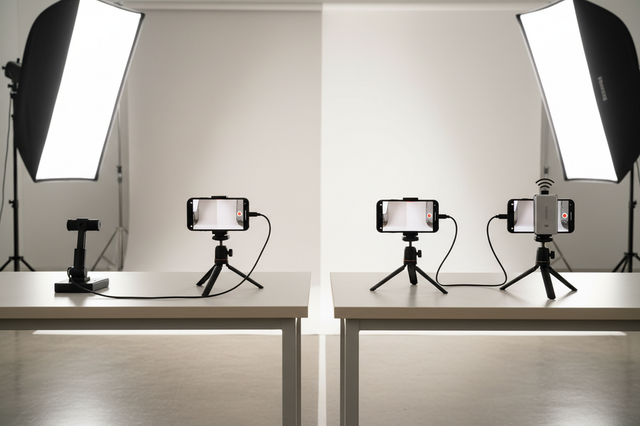
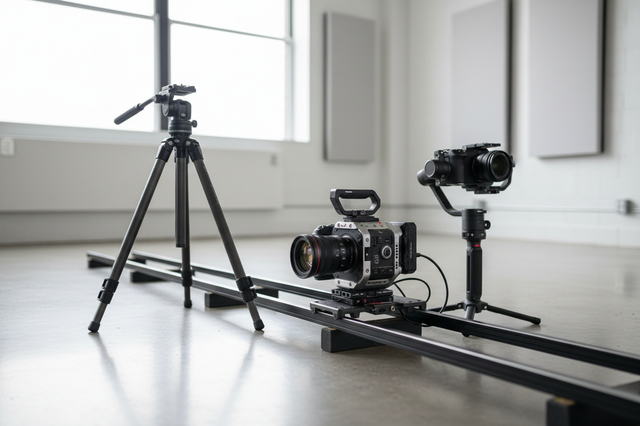
Switching a quick-release ecosystem is usually a kit-wide budget decision, not a single-plate purchase. The real cost comes from the full set of plates, bases, adapters, and small hardware needed to keep your rig moving fast without breaking your workflow. If you already swap gear often, the hidden spend matters just as much as the sticker price.

What Actually Changes in a Full Switch
A full switch changes the entire mounting pattern for your camera, tripod, cage, and support gear. That is why the tripod connection standard matters: mounting hardware sits in a standards-driven ecosystem, so compatibility is rarely just about one part matching another.
The main cost buckets are simple but easy to underestimate. You may need camera-side plates, base plates, or clamps for fixed mount points, plus adapters if you plan to run mixed gear during the transition. On top of that, many creators discover that the switch touches more than one camera body or tripod head.

A good way to frame the question is this: if a part stays on the kit every day, it belongs in the migration budget. If it only appears occasionally, it may be a bridge item instead of a full replacement. That keeps the decision tied to real use, rather than just the first thing that looks expensive.
For a broader setup view, our complete ecosystem planning guide can help you map where each mount point lives before you buy.
Cost Components You Need to Budget For
The easiest mistake is counting the new plate and stopping there. In a real migration, the money usually goes into several separate buckets, and each one can change the final cart total.
Camera-Side Plates and Mounts
Every body or rig that must stay ready might need its own plate. If you shoot with more than one camera body, or you move the same body between a cage, a tripod, and handheld work, plate demand can rise quickly. The practical question is not "How many cameras do I own?" but "How many setups need to stay usable on day one?"
This is why a single replacement plate rarely finishes the job. If one body stays on the old system while another moves to the new one, you haven't really finished a migration yet; you’ve only started a bridge.
Bases, Clamps, and Static Mount Points
Fixed gear can add more cost than people expect. Tripods, cages, monitor arms, and similar mount points may each need a base, clamp, or mating part so the new system works cleanly. In other words, the switch can reach beyond camera accessories and into the support gear that keeps your rig stable.
If the new system replaces several static points at once, the bill rises faster than a handheld-only swap. If you only change one camera-side part and leave the rest alone, the upfront spend stays lower, but the kit may still feel fragmented.
Adapters for Mixed Gear During the Transition
Adapters can make a phased switch possible, but they aren't free. The adapter stack height can add enough length or offset to change the balance in some workflows, which is why bridge hardware sometimes creates a second round of setup work.
That matters most for gimbals, compact rigs, and any setup where balance is tight. If an adapter lets you keep shooting while you transition, it can be worth the extra spend. If it creates rebalancing friction every time you use it, the bridge may cost more in time than it saves in cash.
Spare Parts, Shipping, and Backup Margin
The smallest line items are often the ones people forget. Shipping, spare screws, replacement hardware, and a modest backup margin can all show up once you place the first order. Those costs aren't dramatic on their own, but they can turn a neat estimate into a surprise total.
A practical rule is to leave room for at least one compatibility gap or duplicate item you notice after the first install. That doesn't mean overbuying everything; it means keeping a little room in the budget so the switch doesn't stall because of one missing part.
How Many Plates Your Kit Actually Needs
There is no universal plate count that fits every rig. The better approach is to count live mount points, then add a small transition buffer for overlap, backups, and the gear you swap most often. That gives you a working estimate without pretending every kit behaves the same.
| Gear Scenario | Likely Parts Needed | Budgeting Note |
|---|---|---|
| Single-camera solo setup | One plate for the main body, plus any base that makes the new system work on your tripod or cage | Start with the mount points you use every shoot, not the total number of accessories in your drawer. |
| Dual-camera or backup-body setup | Separate plates for each body that must stay ready, plus any shared base parts that cannot move between bodies fast enough | If both bodies are live in the same week, count them separately. Shared hardware only helps when you can truly move it without slowing down. |
| Tripod-plus-cage workflow | Plates for the camera side, plus any cages, tripod interfaces, or support points that also need conversion | This setup often expands beyond a camera-only budget because the switch touches both the body and the support rig. |
| Phased migration with mixed systems | New parts for the first live setup, plus bridge adapters or holdover pieces for gear that stays on the old system | A phased plan can lower the first checkout total, but it usually adds temporary overlap cost. |
If you want a cleaner way to match a standard to your rig, the matching FALCAM to your rig article is a useful next step.
For planning, one useful heuristic is to size the new system around every setup that must work on day one, then add a small buffer for mixed-system overlap. That is especially relevant if you are coming from a kit where you already own multiple plates or swap the same body between different rigs.
Partial Conversion or Full Migration
The right answer usually depends on whether you are trying to save money now or save friction every week. A phased switch can reduce immediate spend, but it can also leave you managing two systems at once. A full migration costs more upfront, yet it can simplify the day-to-day workflow if you have many active mount points.
A unified quick-release system can save professional creators about 44 to 49 hours of setup time a year, according to our workflow speed test. That doesn't mean every kit should switch immediately, but it does explain why frequent swappers feel the friction quickly.
Use this simple decision check:
- Choose a phased conversion if you only have one or two live setups, or if budget pressure matters more than speed right now.
- Choose a full migration if you keep hitting the same bottleneck across multiple bodies, cages, or tripods.
- Stay cautious with adapters if they make balance, stack height, or reconfiguration worse than the old system.
- Set a private checkout ceiling before you start adding convenience parts.
If your cart keeps growing because of bridge hardware, duplicate bases, or a second body that still needs attention, the full switch is probably more expensive than it first looked. If the new system removes repeated setup work across the kit, the extra spend is easier to justify.
For a phased move without downtime, our phased rig migration guide shows the transition path in more detail.
Your Final Switch Checklist
Before you place the order, check the number of live setups, not just the number of cameras. Confirm which mount points need their own hardware, whether any adapter is only a temporary bridge, and whether the new parts cover the exact rigs you use most. Then compare the cart total with shipping, replacement screws, and your return or exchange window. If the total still fits your budget and your workflow, you are ready to move. If not, start with the highest-friction mount point first and phase the rest later.
FAQs
How Much Does It Usually Cost to Switch Quick-Release Systems?
It usually costs more than one plate because the real total includes every live mount point, any duplicate base parts, and any adapter you need during the transition. The fastest way to estimate it is to count the setups you must keep usable on day one, then add a small buffer for overlap and shipping.
What Plates and Adapters Do I Need for a Full Migration?
You need enough hardware for each body or rig that must work immediately, plus any base or clamp parts that sit on tripods, cages, or other static points. If you are migrating in phases, adapters may help bridge old and new parts, but they should be treated as temporary support unless they truly improve your workflow.
Can I Switch One Piece at a Time Without Rebuying Everything?
Yes, and for some kits that is the smarter move. A phased conversion reduces the first checkout total, but it can leave you running mixed hardware and checking compatibility more often. If you only have one high-friction setup, start there and leave lower-use mount points for a later order.
Why Do Quick-Release Migrations Cost More Than One New Plate?
Because the plate is only the visible part of the change. Duplicate bases, bridge adapters, backup screws, shipping, and the extra hardware needed for a second body or support point can all add up. If the new system touches tripods, cages, and handheld gear, the budget grows faster than the first product page suggests.
How Do I Know If a Full Ecosystem Change Is Worth It?
It is usually worth it when the same setup friction shows up again and again across multiple rigs. If you swap often, the time saved can matter as much as the cash spent. If you only change mounts occasionally, a partial conversion is often easier to justify.