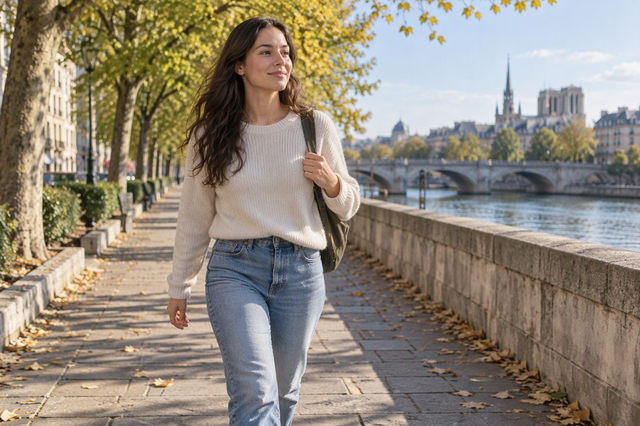
A clip-on phone light can work for some full-body videos, but being attached to the phone and having a brightness rating don't prove it will light your shot. For a full-body frame, you usually stand farther from the phone. The light also stays wherever the phone is.
Before you buy, check four things: the light's output at your real filming distance, whether it covers you from head to toe, whether the phone is a good spot for the light, and how much your room light and movement change the job. Those answers tell you whether a clip-on can be your main light, should only add fill, or should be swapped for a light you can place on its own.
Can a Clip-On Phone Light Work for Full-Body Video?
Yes, but only when your setup supports it. Treat a clip-on as your main light only if you can find evidence that matches your subject distance and your full-body frame, and only if the phone's position also works for lighting. If you can't confirm those points, a clip-on is still unproven for the shot.
It may work as extra light alongside good room light, or you may need a light that stands apart from the phone.
Size is a useful starting signal. One consumer buying guide suggests compact clip-ons for selfie videos and video calls. For full-body content, it recommends a larger light, which is likely to put out more light and spread it more widely. That guide is affiliate-supported shopping advice, not a test of any phone light. Use it as a reason to look harder at a small clip-on, not as a final yes or no.
The rest of this guide covers each check on its own: distance, coverage, mount position, and the room you'll film in.
Check the Light at Your Planned Subject Distance
Compare the light's stated output with the distance you will actually film from, not with a close-up product photo. Light gets weaker quickly as distance grows. Under the direct-light inverse-square model, doubling the distance cuts intensity to one-quarter.
That's a physics model, not a measurement of any phone light. Still, it shows why a rating taken up close can't tell you how bright a farther full-body setup will be.
- Measure your real distance. Put the phone where you'll film, step back until your whole body fits in the frame, and measure from the phone to where you stand in feet.
- Find an output figure tied to a stated distance. A brightness number means little unless the listing says how far away it was measured and at what power setting.
- Compare the same conditions. Check that the stated distance and setting are close to your planned distance and the setting you expect to use.
- Treat close-range-only figures as unproven. If the only number given is from much closer than your filming spot, look for sample footage or documentation at your distance before you rely on the light.
To see how much a change in distance matters, you can model light falloff between two distances with a free calculator built for direct flash or continuous light. It shows the math, not how a specific light performs. For more on why small lights struggle as range grows, see our guide to light falloff at distance.
Check Whether the Light Covers the Full Frame
Brightness and coverage are two separate questions. An output number tells you how strong the light is at one point. It doesn't show whether that light spreads across your whole body, from your hair to your shoes.
A light can look fine on your face and still leave your legs and feet dim.
Look for these before buying:
- Full-body samples or coverage data. Choose footage or documentation shot at framing and distance close to yours, not a face-only selfie clip.
- Even light from head to toe. In a sample, compare your head, torso, and feet. Darker legs or feet mean the light isn't covering the frame you need.
- The whole area you move through. If you'll step, turn, or dance, the useful light has to reach that full space, not just one pose in the center.
- Beam angle as a clue, not proof. A beam-angle spec hints at how wide the light spreads. On its own, it doesn't confirm that your full frame will be lit well enough.

If no sample matches your framing, test how far the light spreads before you use it as your main light.
Decide Whether the Phone Is the Right Place for the Light
Keep a phone-mounted light only if the phone's spot also works as the light's spot. A clip-on stays fixed to the phone, so it always shines from the camera's position. That fits a shot where straight-on light from the camera is what you want.
It's a poor fit when the scene needs light from the side, from higher up, or closer to you than the phone.
Ask one question: does the light need to sit or aim somewhere other than the phone? If the answer is yes, look at separately positionable lights that can go on their own support. Then check the actual connection on both sides. For example, a light with a cold shoe fitting needs a support with a matching mount, such as a light stand with cold shoe. Confirm that pairing in each product's specs before you buy. For accent or rim light behind or beside you, our guide to choosing an RGB tube light covers another way to place light away from the camera.

Factor in Room Light and Movement
Your room and your movement decide how much the phone light has to do. Judge both in the space where you'll actually record.
When room light already contributes
Start by deciding the clip-on's role. If a window or overhead lights already brighten your full-body frame, the clip-on only needs to add fill, such as lifting shadows on your face. If the room is dim, the clip-on has to be the main light, and the distance and coverage checks above become much stricter. Look at the room at the time of day you'll film, since the result depends on that scene. If you want the added light to blend with warm or cool room light, bi-color LED lights let you adjust color temperature as well as brightness.
When the subject moves
Movement changes two things at once: where you are in the frame and how far you are from the light. A light that looks fine while you stand still can fall short when you step back or move to the edge of the frame. Map your path before you shoot. Mark your closest and farthest spots, then look for coverage evidence across that whole range, not one stationary pose. If you're still deciding what to add first, our guide on how to build a phone-first kit suggests letting problems in your test footage guide the next purchase.
FAQs
What if a phone light listing doesn't say what distance its brightness was measured at?
Then you can't compare that number with your filming setup. Treat the rating as unproven for full-body use. Look for sample footage at a similar distance, or ask the seller what distance and power setting the figure refers to.
Do I always need a large light for full-body video?
Not always. Consumer buying advice links full-body content with larger lights because they tend to have more output and wider spread. If your room light already does most of the work, a smaller light may be enough as fill. Your own distance, framing, and room decide the answer.
Can a clip-on still be useful if I also buy a separate light?
Yes. A separate light can handle the main job from a better position, while the clip-on adds fill from the camera's direction. Just plan each light's role so you aren't counting on the clip-on for coverage it can't give at your distance.
What does mounting compatibility mean for a separate light?
It means the light's fitting matches the stand, tripod, or arm you'll put it on, such as a cold shoe on the light and a cold shoe mount on the stand. Check both products' specs for the exact mount type before you buy.