The fastest reliable way to set up a mini TTL flash for a dark wedding reception dance floor starts before you touch the flash controls. Expose the room for its ambient light first, stay inside your camera's normal flash sync speed, and turn on TTL only after you confirm the camera and flash are actually communicating.
Begin with flash exposure compensation (FEC) at zero, pick one flash direction, and shoot a single test frame. That one frame tells you whether your next fix belongs to the room's ambient exposure or to the flash's effect on your subject.
A Fast Starting Setup for a Dark Reception Dance Floor
When you set up a mini TTL flash for a dark reception dance floor, this sequence turns low light into a predictable exposure problem instead of a guessing game. Work through it in order, then let the test frame decide what happens next.
The First Test Frame
- Meter and expose the room on its own: raise ISO or open the aperture until the background looks like a real reception, not a black void, before you judge anything the flash does.
- Confirm the camera and flash are paired correctly and TTL is active on both, since a flash that only fires in manual mode will not respond to changing frames.
- Set FEC to zero, choose a flash direction you can repeat, and take one test frame under normal dance-floor movement.
What to Inspect Immediately
Look at the test frame in four separate pieces: is the subject's face bright enough, is the background reasonably visible, is there blur on moving hands or hems, and does the light direction look flat or harsh. Each symptom points to a different fix later in this guide, so resist changing more than one setting before you re-shoot.
How TTL Meter Biasing Changes the Starting Exposure
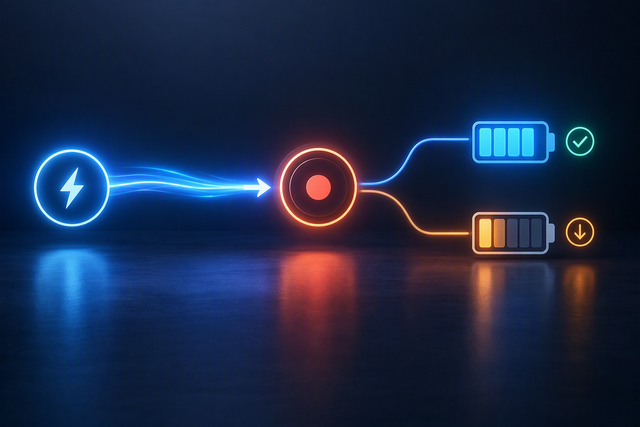
TTL meters the scene for every frame, so a bright dress, a dark suit, or a shift in background light can change the flash output from one shot to the next. Reading whether the subject or the room caused the change is the first diagnostic step.
Read the Subject and the Room Separately
A correctly exposed face against a noticeably dark room usually means your ambient exposure, not the flash, needs attention. A subject that stays dark or blown out while the room looks acceptable points to the flash's contribution to that face, which is a job for FEC rather than your shutter or ISO. Because clothing color, reflective decor, and colored uplighting all shift what the meter sees, expect some frame-to-frame variation even with nothing changed on your end.

Make One Correction at a Time
- Hold your camera's ambient exposure settings steady while you judge flash brightness; changing both at once makes it impossible to tell which control fixed the problem.
- Shoot two or three consecutive test frames before making a larger adjustment, since a single odd frame may just reflect a passing lighting change on the floor.
Use Flash Exposure Compensation to Correct Subject Brightness
Flash exposure compensation only fixes subject brightness, not the room. Move it in the direction of the error and leave your camera's ambient settings alone unless the room itself looks wrong.
Use the Sign of the Subject Error
- If the subject reads too dark in an otherwise acceptable frame, move FEC positive.
- If the subject reads too bright or blown out, move FEC negative.
- Only touch FEC when the room exposure is already close to where you want it; if the background is also wrong, fix that with shutter speed, aperture, or ISO first.
Keep the Correction Repeatable
Make one small FEC change, photograph a similar candid moment, and compare the subject's brightness against the previous frame rather than eyeballing the whole scene. Some compact TTL flashes offer a fairly wide compensation range in fine steps, which lets you make small, controlled moves instead of overcorrecting; check your specific flash's listed compensation range before the event so you know how much room you actually have.
Balance Ambient Exposure Against Motion Blur
Dance-floor motion and room atmosphere are controlled by two different levers. Fix blur with shutter speed first, then use ISO or aperture to bring the ambient exposure back where you want it.
If the Dancers Are Blurred
Raise your shutter speed first when moving subjects show streaking or ghosting, since that control has the most direct effect on stopping motion. Faster shutter speeds reduce motion blur, which can force higher ISO in low light and add visible noise, so expect to trade a little image cleanliness for sharper action on a dark floor.
If the Room Looks Dead
If subjects are sharp but the room reads as unnaturally black, raise ambient exposure with ISO or a wider aperture rather than increasing flash output, since more flash brightens the subject but does nothing for the background. Recheck the room after each exposure change rather than assuming one adjustment solved both problems at once.
When High-Speed Sync Helps and When It Costs Power
Stay within your camera's normal flash sync speed whenever it already controls motion and keeps the room looking natural. Reach for HSS only when the shutter speed you actually need exceeds that sync limit and your exact camera-and-flash pairing supports it.
Stay in Normal Sync When It Works
- If normal sync already freezes the motion you are seeing and the ambient exposure looks right, there is no reason to turn on HSS.
- Do not activate HSS simply because a flash's spec sheet lists the feature; the listing does not guarantee it works the way you need on your specific body.
Use HSS Only After the Threshold Is Clear
- Confirm your camera's exact normal sync speed and check that your flash's HSS mode is verified to work with that camera before relying on it during the reception.
- Expect HSS to reduce the flash's usable output and recycle consistency at higher shutter speeds, so test the resulting exposure and recovery time on a similar dark scene beforehand rather than discovering the tradeoff mid-reception.
Choose a Ceiling-Bounce Angle That the Room Can Support
Bounce works when the room gives the light a dependable path back to faces, not because the flash head can tilt. Judge the surface before you judge the angle.
When Bounce Is a Good Fit
- A light-colored, reasonably low ceiling or wall gives softer, more even light than firing the flash straight at your subject.
- Bouncing off a white surface produces a larger, softer light source as long as that reflected path keeps reaching faces while dancers move around the floor.
When to Stop Bouncing
- A high, dark, or strongly colored ceiling absorbs or tints the light instead of returning clean, even coverage, which shows up as weak or off-color exposures.
- When no surface gives a consistent reflected path as you reposition, switch to a tested direct-flash direction and re-shoot a test frame rather than continuing to force a bounce that keeps failing.
Verify TTL, HSS, and Bounce Compatibility Before the Event
A hot-shoe that physically fits your camera is not proof that TTL, HSS, or bounce will actually work the way you need. Treat each capability as a separate check against your exact camera body.

Separate the Capability Questions
| Compact flash example | Supplied record | Reception decision |
|---|---|---|
| Ulanzi FT16 TTL Camera Flash | Sony-compatible TTL, ±3 EV compensation, GN16, 0-90° flip head, about 1.8s full-power recycle | Confirm your Sony body's exact TTL behavior; the flip head supports bounce testing, but the listed range applies to this model only |
| Ulanzi F12 Mini Flash Speedlite | HSS at 1/250s, GN12, 1-7s recycle, universal hot shoe | The universal shoe fits many bodies, but the record does not establish universal TTL communication, so verify TTL and HSS on your exact camera before the event |
| Ulanzi KL01 Mini Camera Flash | Universal single-pin shoe, manual 1/1 to 1/8 power levels | Physical fit only; this is a manual flash, not a stated TTL solution, so it does not answer the meter-biasing or FEC decisions above |
Run the Exact-System Test
Before the reception, confirm your camera body and mount, whether TTL communication actually engages, whether HSS activates and holds exposure at your target shutter speed, how far the head articulates for bounce, and how output and recycle behave under repeated flashes. Current official documentation for your specific body and flash, plus one real test frame under similar low light, settles this faster than any general spec sheet.
FAQs
Can TTL Still Work if the Reception Room Has No Usable Ceiling or Wall for Bounce?
Yes. TTL metering does not depend on bounce; it responds to whatever light path you select. Switch to a tested direct-flash orientation and recheck your ambient exposure and FEC on a fresh test frame, because direct light changes subject illumination.
Why Does the Flash Overexpose Subjects When the Dance Floor Is Very Dark?
TTL meters evaluate the total scene luminance. In very dark venues, the meter detects deep background shadows and can output excessive flash power to compensate. Dial in negative flash exposure compensation (FEC) to tone down subject brightness, while adjusting ISO or aperture to manage background illumination independently.
Should High-Speed Sync Always Be Enabled for Reception Dancing?
No. If your standard flash sync speed freezes motion cleanly without unwanted ghosting, normal sync preserves flash output and maintains faster recycle times. Reserve HSS for situations where ambient lighting or fast motion requires a shutter speed beyond your camera's native sync limit.