

The most reliable way to power a GoPro or similar action camera through a full day of ski filming in freezing weather is to build a plan around three tools, not lean on one battery. Warm spare-battery rotation is the default for run-based filming, an insulated pouch supports that rotation, and external power stays reserved for a tested, uninterrupted shot.
Ski filming usually splits into two patterns. Between runs, you can stop and swap a battery without losing anything, but during a continuous shot, a battery change would ruin the take. That difference, more than any general idea about how to power a GoPro in freezing weather all day, should decide which setup you build.
The most dependable full-day setup uses a plan, not one battery
When planning how to power a GoPro in freezing weather all day, no source can promise a universal runtime or confirm that every camera stays waterproof once you add a cable or open a battery door. Runtime depends on the camera, the battery's age and charge, your recording settings, and the actual temperature and wind on the mountain that day.
If interruptions are fine, warm spare-battery rotation is the simplest path: you carry charged batteries close to your body and swap them at planned stops. If storage and access are the real friction, add an insulated pouch to keep spares organized and shielded while carried. If interruptions are not acceptable, only then does external power become worth the added cable, connector, and compatibility checks. A stable rig, such as a protective camera cage, makes it easier to reach a battery door or connector mid-run without fumbling in gloves, but mounting hardware does not change the power decision itself.
Use warm spare batteries as the baseline for run-by-run filming
Warm rotation works because it keeps the next battery ready without exposing it to cold air longer than necessary. Set up the workflow before you leave the house so it becomes automatic on the mountain.
- Charge every battery fully the night before and label which ones are fresh.
- Carry the next battery in an inner jacket pocket or a body-worn pouch so it stays close to your body heat, not in an outer pocket exposed to wind.
- Change batteries at a sheltered stop, such as inside a lodge doorway or under a lift shelter, rather than in open wind and snow.
- Record a few seconds immediately after the swap to confirm the camera is running before you ski away.
- Move the used battery into a separate pocket or pouch compartment so you never mistake it for a charged spare.
Test this exact motion at home with the gloves you plan to wear. A workflow that works bare-handed can fall apart when you are fumbling with mittens on a windy chairlift.

What an insulated pouch can and cannot solve
An insulated pouch helps when your main problem is keeping spare batteries organized and less exposed to ambient cold while you carry them. It does not create extra energy, extend a battery's rated capacity, or guarantee that your camera will run all day.
Choose insulated storage when battery access and warmth between runs are the actual friction points, not when you are hoping to skip battery changes altogether. Check the pouch's capacity, closure, battery fit, and glove access on the real accessory, since designs vary in how easily you can open them with cold hands. You can compare pouch and mounting options in our vlog accessories collection, but keep the camera's own weather protection and any live cable setup as separate decisions from storage insulation. A pouch is a battery-management tool, not a camera enclosure or a cable seal.
Use external power only when uninterrupted recording justifies the cable
External power earns its place when a shot must continue without a planned battery change, and only after the exact camera, pass-through door, cable, and power source have been tested together as one system. If you can tolerate a stop between runs, warm battery rotation stays the lower-complexity choice.
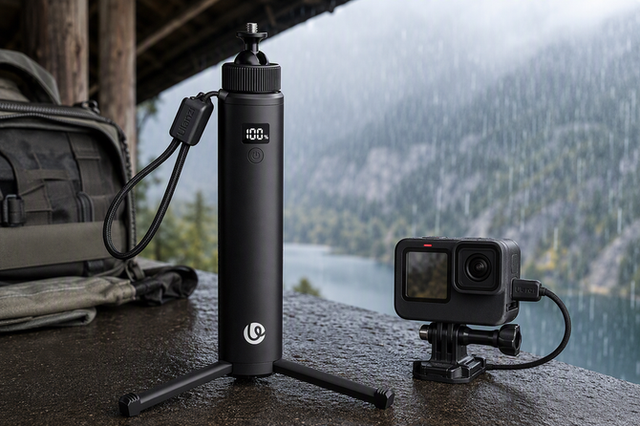
The gain is fewer battery-door openings during a continuous take. The tradeoff is a carried power source and a cable that must be secured against gloves, straps, chairlift movement, and body motion. Compact accessories like a passthrough charging adapter exist for exactly this kind of setup, but confirming that your specific camera model supports charging while recording, and that the connector fits securely, comes before you rely on it outdoors. Do not assume an ordinary USB-C cable or an open camera port is weatherproof just because the closed camera normally is.
Build the cable setup around the camera's weather boundary
Before a cabled setup goes anywhere near snow, confirm the full chain works and stays within documented limits. Waterproofing and charging behavior do not transfer between camera brands or models, so treat this as a verification sequence rather than an assumption.
- Identify your exact camera model and check its manual for battery-door and port specifications.
- Confirm whether the camera's door stays closed during charging or requires a specific pass-through accessory rated for that model.
- Use only the cable and connector combination documented for that accessory; substituting a random cable removes the tested fit.
- Add strain relief so the cable cannot pull directly on the port when you move, ski, or reach into a pocket.
- Run a complete dry-condition test, away from snow, before trusting the setup outdoors.
Do not take an externally powered setup into active snow or wet conditions until the exact camera, door, connector, cable, and source arrangement has a documented weather boundary. An opened or modified power door is a separate weather question from the camera's normal closed-door rating, and skipping this check is the most common way a "waterproof" camera stops behaving like one.
Run a power test before the first lift
Before you leave a warm shelter, confirm the whole setup works, not just that the batteries are charged. Check that batteries are fully charged and correctly identified as spares versus used, that your warm storage location is reachable with gloves on, and that camera settings match what you plan to shoot.
Record a short test clip with your actual gloves and mounting setup. If you are using external power, run the full dry-condition test from the previous section here, confirming the camera records while connected and that the cable stays secure. Confirm your spare battery or power source can be reached without exposing it to snow longer than a quick swap requires. A successful test clip, recorded at home or in the lodge, is your go signal for the day.
If the camera shuts down, test the simplest failure first
Change one variable at a time. Swap in a known charged, warm spare battery and record a short test clip before touching anything else. Most cold-related shutdowns trace back to a depleted or cold battery, so ruling that out first keeps you from chasing the wrong problem.

If the shutdown repeats with a fresh battery, move to a dry, sheltered spot and check the cable, external source, connector, and camera door one at a time rather than swapping several parts at once. Keep the failed battery separate from the tested replacement so you can see clearly which one caused the problem. If moisture or a loose connector is involved, stop using the cabled arrangement until you can verify its weather boundary again, and fall back to battery rotation for the rest of the day.
FAQs
Can an insulated pouch replace spare batteries?
No. A pouch supports storage and handling by keeping batteries organized and shielded from ambient cold, but it does not create additional energy or guarantee all-day runtime. You still need a tested battery rotation, or a separately verified external-power plan, to actually keep the camera running.
Can I use any power bank and USB cable with an action camera?
No, you should not assume universal compatibility or weather resistance. Match the exact camera, cable, connector, and power source, confirm the camera supports recording while charging, and run a complete dry-condition test before trusting the setup near snow.
How many batteries do I need for a full ski day?
There is no reliable universal number, since it depends on your camera model, recording pattern, temperature, and each battery's actual condition. Run a short representative test to see how long one battery lasts under your real settings, then carry a warm reserve based on that result instead of a generic all-day figure.