

A mini tripod can stand in for a full-height tripod in a talking-head video only when two things are true. The mounted lens has to reach the position your shot needs, and the setup has to stay stable on the surface you film from. Mini tripod height has no single cutoff, so you judge it for each shot.

That usually makes a mini tripod a good fit for a seated desk shot and a poor fit for many standing shots. If the lens can't get where your frame needs it, use a stable raised surface or a taller tripod. Don't build an improvised stack to make up the difference.
When a Mini Tripod Is Tall Enough
The tripod's category doesn't decide whether it's tall enough; where the lens lands for your shot does. Whether you're using a compact desktop model or an extendable tripod, seated and standing setups call for different camera positions, so check each one on its own.
Choose a reachable lens position
Start from where the presenter will be and how you want them framed. Eye level is a sensible first reference. Adobe's guide to eye-level shots describes eye-level framing as the shot of choice for largely static situations such as talking heads on cable news or most YouTube videos. Treat it as a starting point, not a fixed height every video has to hit.
Once you know roughly where the lens should sit, ask whether the mini tripod can put it there from a surface you actually have. For a seated presenter at a desk, the desk is often the natural base.
Switch when the target is out of reach
If the mounted lens can't reach your chosen position from the planned surface, the mini tripod is too short for that setup. That's true even if it works well for other shots.
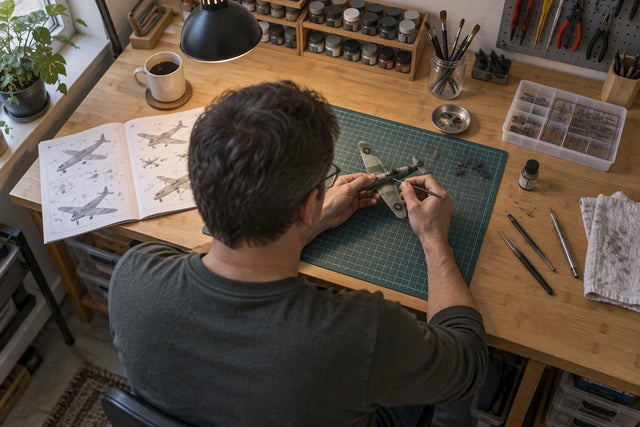
For example, you might record seated videos at your desk with the phone on a mini tripod, and the lens sits right where your face needs it. Then you decide to film standing in front of a bookshelf. The same tripod on the same desk now points up at your chin, and the floor puts it far too low. The tripod didn't change, but the setup did. For that standing shot, look for a different stable raised surface or a taller tripod, and run the check again whenever your shot changes significantly.
Check the Lens Position in Your Actual Setup
The most reliable check is to compare the lens position your frame needs with where the lens actually lands once everything is mounted and placed. A tripod's height listing alone won't tell you this.

- Settle the shot first. Decide whether you'll sit or stand, where you'll be in the room, and how tight the frame will be. Then pick where the lens should sit for that frame.
- Mount the camera the way you'll record. Attach the phone or camera with the holder, mic, or light you plan to use, and put the mini tripod on the exact surface you'll film from.
- Get into position and look at the live frame. Sit or stand where you'll present, then check the screen or a test clip. Is the lens at your target? Does the angle look level, or does it look up or down at you? The University of Nebraska at Omaha's videography guidelines advise avoiding low- and high-angle interview shots and too much headroom, so check both.
- Keep it or switch. If the lens reaches the target and the setup feels solid, the mini tripod does the job. If it doesn't reach, move to a stable raised surface or a taller support.
Sometimes the lens reaches the target and the shot still looks off. In that case, look at composition before you raise the camera. Spoken Frame Media's interview setup guide places the camera based on the room and adjusts headroom and framing for the subject. Moving the camera closer or farther away, or shifting where you sit, often fixes what extra height wouldn't.
When a Stable Raised Surface Works
A raised surface can make a mini tripod usable for a taller shot, but only if the surface is stable under the mounted setup and puts the lens where your frame needs it.
Recheck the camera from the raised surface
Raising the base moves the lens, so earlier checks no longer apply. Put the surface where you'll record, place the tripod on it with the camera mounted, and repeat the live-frame check from your presenting position. A sturdy shelf, counter, or tall table at the right spot can turn a desk-only tripod into one that works for a standing shot.
If no surface in the right place gets you there, a full-height tripod is the simpler fix. You can browse our tripod collection to compare mini and full-size options for your setup.
Do not use an improvised or unstable stack
Don't balance a mini tripod on a pile of books, boxes, or anything that wobbles or shifts. If the only way to reach your target is an improvised stack, stop and use a stable elevated surface or a taller support.
For desk recording, a phone stand or clamp is another option to consider. It's worth checking only if it fits your desk and keeps a clear camera view.
Next step: set up your planned shot today, check the mounted lens in the live frame, and decide from what you see whether to keep the mini tripod or go taller.
FAQs
Can a mini tripod replace a full-height tripod for talking-head videos?
Yes, when the mounted lens reaches the position your frame needs and the setup is stable. That's often true for seated desk shots. For standing shots it often isn't, unless you have a stable raised surface in the right spot.
What camera height should I aim for in a talking-head video?
No single height works for every setup. Adobe describes eye-level framing as a common choice for static talking-head shots, so start near eye level for your seated or standing position. Then adjust based on the live frame.
Is a mini tripod good for desk video calls?
It often is, because the desk can put the lens close to face level for a seated person. If you'd like a different way to mount a phone at your desk, our desk phone stand-or-clamp guide compares the two approaches.
My lens is at eye level but the shot still looks wrong. Should I go higher?
Not right away. Check headroom, how far the camera is from you, and where you sit in the frame. Composition problems often look like height problems, but more height won't fix them.